
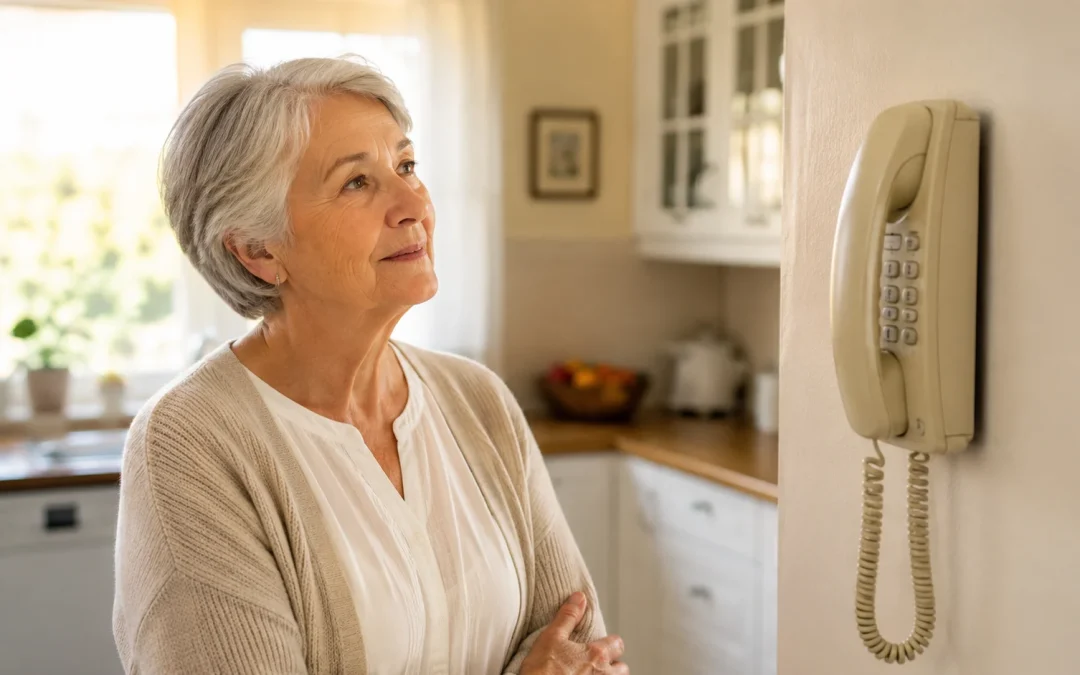

Traditional landline phones are slowly being phased out in many areas, and most seniors will eventually need to switch to a phone service that uses the internet or cellular networks instead. This change is happening over several years, not overnight, and you usually have time to plan. However, in some regions and for some phone companies, deadlines are already set, so it is important to understand your options and avoid losing service unexpectedly.
Landlines have been a reliable part of home life for decades, so it is normal to feel uneasy about this change. The good news is that there are clear, practical alternatives that can still give you a simple, dependable phone line at home. This article will explain what is happening, what it means for you, and how to choose a safe, comfortable replacement that fits your needs and budget.
Table of Contents
- Quick Summary
- Why Landlines Are Being Phased Out
- What This Change Means for Seniors
- Types of Replacement Phone Service
- How Reliable Are Internet and Cell Phone Options?
- Practical Steps to Take Now
- Common Mistakes and What Can Go Wrong
- Safety and Scam Warnings
- Frequently Asked Questions
- Final Summary
Quick Summary
- Phone companies are gradually shutting down old copper landline networks and moving to internet-based and cellular phone service.
- Most seniors will need to switch to a home phone that runs over the internet, a cell phone, or a combination of both.
- Plan ahead so you do not lose service, and make sure any new setup works with 911 and any medical alert or security systems you use.
- Best next step: call your current phone provider and ask what changes are planned for your area and what simple options they offer.
Why Landlines Are Being Phased Out
For many years, home phones used copper wires in the ground or on poles. This is often called a “traditional landline” or “POTS” (Plain Old Telephone Service). These systems are expensive for phone companies to maintain, especially as fewer people use them.
Phone companies are moving to newer technology that sends phone calls over the internet or over cellular (wireless) networks. These systems are cheaper for them to run and can carry more calls and data. In some countries and states, companies are allowed to stop offering old copper landlines once they provide a replacement service.
This does not mean everyone loses phone service. It means the type of service changes. Instead of a phone line powered by the phone company’s wires, your phone may plug into a modem (the box that gives you internet) or you may rely more on a cell phone. The key is understanding what you have now and what it will change to.
What This Change Means for Seniors
For seniors, the biggest concern is usually reliability and ease of use. Many older adults like landlines because they “just work,” even during power outages, and the phones are familiar and simple.
When landlines are phased out, you may notice one or more of these changes:
- Your phone company may send letters saying your service is changing or that you must switch plans.
- A technician may need to install a new box or modem in your home.
- Your existing corded or cordless phones may plug into a different jack (on a modem instead of the wall).
- You may be encouraged to use a cell phone more often, especially for emergencies.
Here is a realistic example: Mary, age 78, has had the same landline number for 40 years. Her phone company sends a notice that her current plan is ending and offers a “digital home phone” that uses her internet connection. A technician installs a small box next to her modem, and her old cordless phone plugs into that box instead of the wall. Her phone number stays the same, and she dials just like before, but now the call travels over the internet.
The main limitation is that these newer services often depend on your home power and internet. If the power goes out and you do not have backup power, your phone may not work. This is different from many older copper landlines, which could still work during a power outage.
Types of Replacement Phone Service
When landlines are phased out, you usually have three main options. You do not have to pick just one; many people use a combination.
1. Home Phone Over Internet (VoIP)
VoIP stands for “Voice over Internet Protocol,” which simply means phone calls that travel over the internet instead of copper wires. Many companies call this “digital home phone,” “internet phone,” or “fiber phone.”
How it works:
- A technician installs a modem or gateway (a small box) in your home.
- Your regular home phone plugs into the modem instead of the wall jack.
- Your calls go over your internet connection.
Pros:
- Often lets you keep your existing phone number.
- Can be bundled with your internet and TV service.
- Works with most standard corded and cordless phones.
Cons:
- Usually stops working if your power or internet goes out, unless you have a battery backup.
- Quality depends on your internet connection.
2. Cellular Home Phone (Wireless Home Phone)
Some companies offer a “wireless home phone” box. This is a small device that uses the cell phone network but lets you plug in a regular home phone.
How it works:
- The box has a cellular connection inside, like a cell phone without a screen.
- You plug your regular phone into the box.
- Calls go over the cell network instead of the internet or copper wires.
Pros:
- Does not require home internet service.
- Can work during some power outages if the box has a battery and the cell towers are working.
- Simple to set up and use with your existing phone.
Cons:
- Depends on having good cell signal at your home.
- May have limits on minutes or features, depending on the plan.
3. Using a Cell Phone as Your Main Phone
Some seniors choose to rely mainly on a cell phone and cancel home phone service altogether. Modern cell phones can be very reliable, and many plans offer unlimited calling.
Pros:
- Works anywhere you have cell coverage, not just at home.
- No separate home phone bill.
- Good for staying in touch with family through calls, texts, and video.
Cons:
- Small screens and touch buttons can be harder to use for some people.
- Phones must be charged regularly.
- Emergency services (911) may not see your exact location as clearly as with some home services, depending on your area and phone.
If you like the idea of a cell phone but want something simpler, look for “senior-friendly” or “easy-to-use” phones with larger buttons and louder speakers. These can be a good middle ground.
How Reliable Are Internet and Cell Phone Options?
Reliability is a major concern, especially for emergencies. No system is perfect, but you can make informed choices.
Power Outages
Traditional copper landlines often kept working during a power outage because they carried their own power over the phone line. Internet-based phones and many cellular home phone boxes rely on your home electricity.
Ask your provider:
- “What happens to this phone service during a power outage?”
- “Is there a battery backup, and how long does it last?”
Some modems and phone boxes come with a battery that can keep your phone working for a few hours. You can also consider a separate battery backup unit (often called a UPS) to keep your modem and phone powered during short outages.
Internet and Cell Coverage
If your phone uses the internet, your call quality depends on your internet connection. If your internet is slow or cuts out often, you may hear echoes, delays, or dropped calls. If your phone uses the cell network, you need a strong signal in your home.
It is reasonable to ask your provider to test the signal or check your internet quality before you commit. If you use the internet for other things like video calls, online grocery ordering, or telehealth visits, a stable connection will help with all of those as well. You can learn more about using telehealth safely at this guide to telehealth appointments.
911 and Emergency Services
Most modern phone services support 911, but how it works can be slightly different. With some internet-based services, you must give your correct home address when you sign up so that 911 can find you. If you move, you may need to update that address.
Ask clearly:
- “Does this service support 911?”
- “How will 911 know my location?”
- “What should I tell the operator if I call 911 from this phone?”
Write down any special instructions and keep them near the phone. Share them with caregivers or family members who might be with you in an emergency.
Practical Steps to Take Now
You do not need to rush, but it is wise to start planning before your landline is turned off. Here is a simple action plan.
1. Find Out What You Have Today
- Look at your phone bill. Does it say “POTS,” “copper,” “digital voice,” “VoIP,” or “fiber”?
- Look at how your phone is plugged in. Is it plugged into a wall jack, or into a modem or small box?
- Note your account number and the customer service phone number on your bill.
2. Call Your Current Phone Provider
Use your existing phone to call the customer service number on your bill. You can say something like:
“I am a long-time customer and I have a home phone. I have heard that traditional landlines are being phased out. Can you tell me what will happen to my service and what my options are?”
Ask these questions and write down the answers:
- “Is my current phone line a traditional copper landline or a digital/internet-based line?”
- “Are you planning to shut down my current type of service? If so, when?”
- “What is the simplest replacement option that lets me keep my phone number?”
- “Will my phone work during a power outage? For how long?”
- “Will my medical alert system or home security system still work?”
3. Check Any Medical Alert or Security Systems
If you have a medical alert button, fall detector, or home security system that uses your phone line, call that company as well. Ask if their device works with internet-based or cellular phone services and whether any changes are needed.
Sometimes, older devices only work with copper landlines. In that case, you may need an updated device that uses cellular or internet connections. This is an honest limitation of the transition and something to handle before your old line is turned off.
4. Decide What Matters Most to You
Think about your priorities:
- Is your top concern having a simple handset in the same place you have always had it?
- Do you want the lowest possible bill, even if it means using a cell phone only?
- Do you need loud volume, large buttons, or a bright screen?
Share these priorities with the phone company or a trusted family member helping you. This will guide whether you choose an internet-based home phone, a cellular home phone box, or mainly a cell phone.
5. Test the New Setup
Once you switch, take time to test everything:
- Make a few calls to family or friends to check sound quality.
- Practice calling 911, but ask your local non-emergency police line first how they prefer you to test. Some areas have a safe way to test 911 routing.
- Test any medical alert or security system after the change.
Keep a written list of important numbers near the phone, including family, neighbors, doctors, and your phone company’s support line. If you pay bills or manage accounts online, you may also find it helpful to review this guide to paying bills online safely.
Common Mistakes and What Can Go Wrong
Most transitions go smoothly, but a few common issues can cause frustration. Knowing them ahead of time can help you avoid problems.
1. Assuming Nothing Will Change
Some people ignore letters from their phone company, thinking they are just advertisements. Sometimes, these letters contain real deadlines for shutting off old landlines. If you miss them, your phone could stop working unexpectedly.
Action: open and read any mail from your phone or internet provider, especially if it mentions “network changes,” “copper retirement,” or “service transition.” If you are unsure, call the number on your bill and ask.
2. Not Checking 911 and Medical Devices
A common misunderstanding is that if the dial tone works, everything is fine. But 911 routing and medical alert systems may not work correctly after a change unless they are updated.
Action: after any change to your phone service, contact your medical alert and security companies to confirm everything is working. Ask your phone provider how 911 works with your new setup.
3. Relying on a Weak Cell Signal
Some people switch to a cellular home phone or cell phone only, but their home has poor cell coverage. This can lead to dropped calls or difficulty reaching 911.
Action: before committing, test cell signal in the rooms where you will use the phone most. Make a few calls at different times of day. If calls often drop, consider an internet-based home phone instead, or ask your provider if they offer signal boosters.
4. Paying for More Than You Need
In the confusion of switching, some people end up with multiple overlapping services they do not use, such as both a digital home phone and a large cell phone plan they rarely touch.
Action: once your new setup is working, review your bills. Cancel any old or duplicate services you no longer need. A trusted family member or caregiver can help you compare charges line by line.
Safety and Scam Warnings
Any time there is a big change in technology, scammers try to take advantage of confusion. You can protect yourself by knowing what real communication from your provider looks like.
What Legitimate Contact Usually Looks Like
- Letters or emails that clearly show your provider’s name and logo, and often include your account number or part of it.
- Phone calls from your provider where the caller can confirm details from your bill, and they do not pressure you to act immediately.
- Technicians who come to your home usually schedule an appointment in advance and carry company identification.
Red Flags to Watch For
- Calls or door-to-door visitors who say your phone will be shut off “today” unless you pay or sign up immediately.
- Anyone asking for your Social Security number, full bank account number, or online passwords to “fix” your phone.
- Emails or texts with links that look odd, have spelling mistakes, or come from addresses that do not match your provider’s website.
If something feels suspicious, hang up or close the door. Then call your phone company using the number on your bill, not the number the caller gave you. You can also ask a trusted family member to look at any letters or emails before you respond.
As more services move online, it is helpful to learn safe ways to handle money and personal information. If you are starting to pay more bills online, you may find this guide useful: How to Pay Bills Online Safely.
Frequently Asked Questions
Are all landline phones going away?
In many areas, the old copper landline networks are being shut down, but that does not mean you cannot have a home phone. Instead, the phone will usually run over the internet or a cellular network. You can often keep your same phone number and even use your existing handset.
Will my phone stop working suddenly?
In most cases, phone companies give notice before shutting off old landlines, often with letters or bill inserts. However, if these notices are ignored or missed, service can stop unexpectedly. It is important to read mail from your provider and call them to ask about any deadlines in your area.
Can I keep my current phone number?
Often, yes. Many internet-based and cellular home phone services allow you to “port” your existing number, which means move it to the new service. Ask your new provider specifically, “Can I keep my current number?” before you agree to switch.
Will my home phone work during a power outage?
Traditional copper landlines often worked during power outages, but most internet-based and some cellular home phone services do not, unless they have a battery backup. Ask your provider how long your phone will work without power and whether a battery backup is available. If you live in an area with frequent outages, this is especially important.
Do I have to get a smartphone?
No, you do not have to get a smartphone if you do not want one. You can use a simple corded or cordless home phone with many internet or cellular home phone services. If you choose to use a cell phone, there are basic models with large buttons and simple menus that do not require learning many new features.
Can a family member help me with this change?
Yes, and it is often a good idea to involve a trusted family member or caregiver. They can help you call the provider, compare options, and be present when a technician visits. Make sure they understand your priorities, such as keeping your number, having a simple handset, and ensuring 911 and medical devices work correctly.
Final Summary
Landline phones based on old copper wires are gradually being replaced by internet and cellular phone services, and most seniors will eventually need to switch. While this change can feel unsettling, you can usually keep a simple home phone and even keep your current number, as long as you plan ahead. The main limitation is that newer services often depend on your home power and internet, so you must understand how they behave during outages and with 911.
Your best next step is to call your current phone provider, ask what is happening to landlines in your area, and request the simplest option that meets your needs. Involve a trusted family member or caregiver if you like, and take time to test your new setup, including any medical alert or security systems. With a bit of preparation, you can stay connected, safe, and comfortable as phone technology changes around you.
