
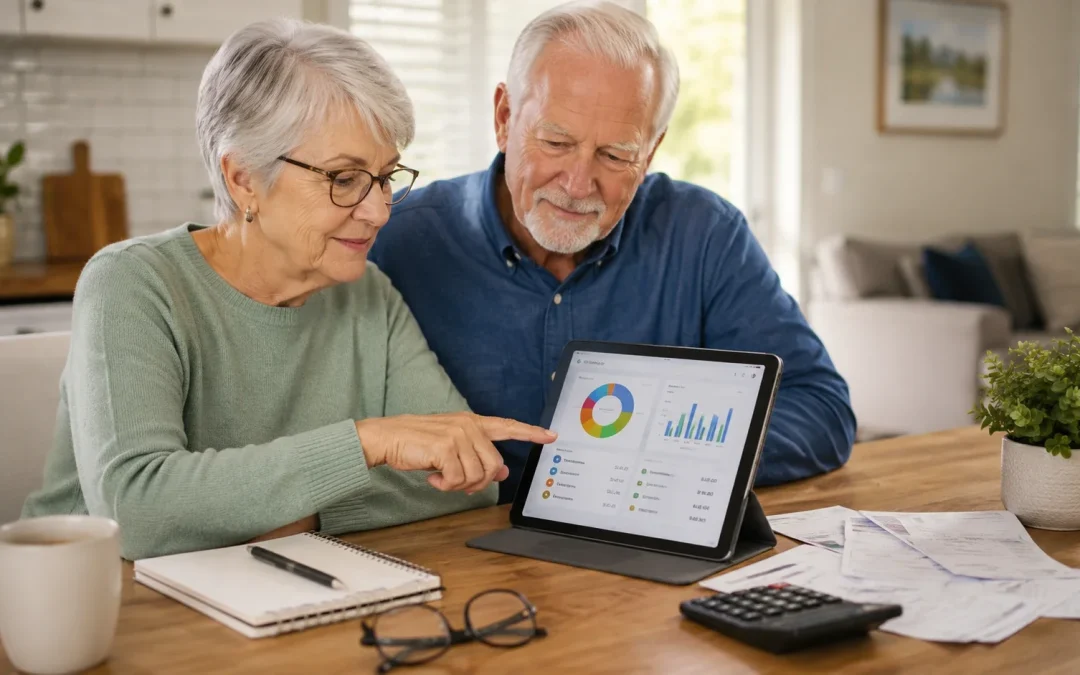
For most seniors who want a simple way to see where their money is going, a basic budgeting app like Mint Mobile or EveryDollar is usually the easiest place to start. In most cases, seniors who like clear lists and fewer features do better with EveryDollar, while those who want automatic tracking from bank accounts may prefer Mint Mobile. Both options work well, but they do require a smartphone or tablet and some comfort with entering financial information.
Table of Contents
- Quick Comparison
- Ease of Use
- Learning Curve
- Cost
- Maintenance & Updates
- Safety & Security
- Daily Use Scenarios
- If You’re a Senior Who…
- What Can Go Wrong With Either Option
- Safety Considerations
- FAQ
- Final Decision Summary
Quick Comparison
- Best for simplicity: EveryDollar (free version) or Goodbudget
- Best for automatic tracking: Mint Mobile
- Best for shared budgets with a spouse or helper: Goodbudget or YNAB (You Need A Budget)
- Best value: Mint Mobile (free) for automatic tracking; EveryDollar (free) for manual tracking
- Biggest limitation of each: Mint Mobile shows ads and can feel busy; EveryDollar free version requires manual entry; Goodbudget has limited free envelopes; YNAB has a monthly fee and more to learn
Ease of Use

For most seniors, how simple the screen looks matters more than how many features an app has. Mint Mobile shows a lot of information at once: charts, ads, and many menu options. This can feel crowded, especially on a small phone. EveryDollar and Goodbudget use cleaner screens with clear categories like “Groceries,” “Rent,” and “Gas,” which many seniors find easier to read and understand.
Mint Mobile is easier if you want the app to do the work for you by pulling in transactions from your bank. However, this means you must be comfortable linking your bank accounts. EveryDollar and Goodbudget are easier if you prefer to type in what you spend yourself, one purchase at a time. This takes a little more effort but gives you more control and fewer surprises on the screen.
Imagine Mary, age 74, who mostly uses her tablet to check email and watch videos. She may feel calmer with EveryDollar, where she opens the app, taps “Groceries,” and types in $45. A common misunderstanding is thinking “automatic” always means “easier.” For some seniors, automatic updates in Mint Mobile create confusion when the app guesses the wrong category. A real limitation is that all of these apps require at least basic comfort with tapping, scrolling, and typing on a screen.
Difficulty level: Mint Mobile – Moderate; EveryDollar – Easy to Moderate; Goodbudget – Easy; YNAB – Moderate.
Learning Curve
All budgeting apps require some learning at the beginning, but they differ in how much. Mint Mobile has more features and screens, so it can take a few days of casual use to feel comfortable. EveryDollar and Goodbudget are more straightforward: you set up your income, add spending categories, and then record what you spend. YNAB is powerful but expects you to learn a specific method, which can feel like a class rather than a quick setup.
For many seniors, the hardest part is not the app itself but getting used to opening it regularly. If you already use your phone or tablet daily, you may adjust in a week or two. If you are new to apps, expect to spend a few short sessions (10–15 minutes each) over a week to get used to the buttons and screens. Watching a short video or having a family member walk you through the first setup can make a big difference.
Consider John, 79, who has never used a budget before. His granddaughter sits with him for 30 minutes to set up Goodbudget, create envelopes for “Groceries,” “Medication,” and “Eating Out,” and show him how to add a new expense. After a few days, he can do it on his own. A common misunderstanding is thinking you must “do it perfectly” from day one. In reality, you can start with just a few categories and add more later. A limitation is that some apps, especially YNAB, may feel like “too much” if you only want to track a few basic expenses.
Difficulty level: Expect 1–2 weeks of light use to feel comfortable with any budgeting app.
Cost
Cost is a major concern for many seniors on fixed incomes. Mint Mobile is free to use, which makes it attractive, but it shows ads and offers for financial products. EveryDollar has a free version that works well for manual tracking, and a paid version if you want automatic bank connections. Goodbudget has a free plan with a limited number of “envelopes” (categories) and a paid plan for more. YNAB charges a monthly or yearly fee but includes all features.
For most seniors, a free app is enough to track basic spending. If you are comfortable entering expenses by hand, EveryDollar free or Goodbudget free can cover your needs without ongoing costs. If you want automatic tracking and do not mind ads, Mint Mobile gives strong value at no cost. YNAB’s fee may be worth it if you have more complex finances and want detailed control, but many seniors will not need that level of detail.
Imagine Susan, 68, living on Social Security and a small pension. She chooses EveryDollar free because she does not want another monthly bill. She spends a few minutes each evening entering the day’s spending. A common misunderstanding is thinking “paid must be better.” Paid versions can add convenience, but they do not automatically make you better with money. A limitation is that free versions may have fewer features, such as limited categories or no automatic bank syncing.
Difficulty level: Easy to understand; main decision is whether you are willing to pay for extra convenience.
Maintenance & Updates
Budget apps, like all apps, receive updates from time to time. These updates may change how the screens look or add new features. Mint Mobile, EveryDollar, Goodbudget, and YNAB all update regularly to fix problems and improve security. For seniors, the main concern is whether these updates will make the app confusing or require extra work.
In most cases, updates install automatically when you update apps on your phone or tablet. You may notice small changes, such as a button moving or a new color scheme. Mint Mobile and YNAB tend to change more often because they add features, while EveryDollar and Goodbudget usually stay simpler. None of these apps require you to “maintain” them beyond updating and occasionally checking that your bank connections (if you use them) are still working.
Picture Robert, 82, who gets nervous when screens change. One day, Mint Mobile updates and the menu moves from the bottom to the side. He thinks something is wrong with his phone. In reality, it is just a design change. A common misunderstanding is believing an update means your information is unsafe or lost. In fact, updates are usually there to keep your data safer. A limitation is that frequent design changes can be frustrating if you prefer things to stay the same.
Difficulty level: Easy; you mainly need to allow app updates and be prepared for small visual changes now and then.
Safety & Security
All major budgeting apps use strong security tools to protect your information, similar to online banking. Mint Mobile, EveryDollar, Goodbudget, and YNAB use encryption and secure connections. However, no app is completely risk-free, and it is important to use good habits, such as strong passwords and not sharing your login details with others.
Mint Mobile and YNAB often connect directly to your bank accounts, which can feel worrying. In practice, they usually have read-only access, meaning they can see your transactions but cannot move money. EveryDollar and Goodbudget free versions can be used without linking bank accounts at all, which some seniors prefer for peace of mind. If you are very cautious, starting with a manual-entry app may feel safer.
Imagine Helen, 76, who is afraid of scams. She chooses Goodbudget and decides not to link any bank accounts. She only enters totals from her paper statements. This gives her a sense of control. A common misunderstanding is thinking that using a budgeting app is more dangerous than using online banking. In reality, the biggest risks usually come from weak passwords or falling for scams, not from the app itself. A limitation is that if you avoid linking accounts, you must spend more time entering information yourself.
Difficulty level: Moderate; you must manage passwords and understand that linking accounts is optional in some apps.
Daily Use Scenarios
How you plan to use a budgeting app day-to-day matters more than the brand name. If you want to quickly check “How much have I spent this month?” Mint Mobile and YNAB give you automatic charts and totals once your accounts are linked. If you prefer to record spending as you go, EveryDollar and Goodbudget make it easy to tap a category and type in an amount right after you shop.
Many seniors like to review their spending once a week, perhaps on Sunday afternoon. You might sit with your phone or tablet, open the app, and look at each category: groceries, medication, utilities, and so on. If you already use your device for other tasks, such as paying bills online or ordering groceries online, adding a budgeting app to your routine can fit in naturally.
Consider Frank and Linda, both in their early 70s. They share a Goodbudget account so they can both see the same “envelopes” on their phones. When Linda buys groceries, she enters it. When Frank pays for gas, he enters it. A common misunderstanding is thinking you must enter every tiny purchase. In reality, you can choose to track only the big categories that matter most. A limitation is that if you forget to open the app regularly, your budget will not be accurate.
Difficulty level: Easy once it becomes a habit; expect a few weeks to build a routine.
If You’re a Senior Who…
If you are new to technology: A simple app like EveryDollar or Goodbudget is usually best. These apps have cleaner screens and fewer buttons, which can feel less overwhelming. The limitation is that you will likely need to enter expenses by hand. For example, Carol, 81, who just learned to use her tablet, starts with Goodbudget and only tracks “Groceries,” “Medication,” and “Utilities” at first.
If you mainly check email and browse: You probably want an app that does not require a lot of attention. Mint Mobile can work well if you are willing to link your bank accounts and then mostly just look at the charts once in a while. The limitation is that the screen can feel busy. For instance, Peter, 73, links his checking account to Mint Mobile and simply opens it once a week to see where his money went.
If you type often: If you are comfortable typing on your phone, tablet, or a connected keyboard, manual-entry apps like EveryDollar and Goodbudget give you precise control. The limitation is the time needed to enter each purchase. For example, Diane, 70, who already types emails daily, spends five minutes each evening entering the day’s spending into EveryDollar.
If you want fewer updates: Choose an app that tends to stay simple and does not add many new features. Goodbudget and EveryDollar usually change less than Mint Mobile or YNAB. The limitation is that you may miss out on some advanced tools. For example, George, 78, dislikes change, so he chooses Goodbudget and keeps the same basic setup for years.
If you travel often: An app that syncs across devices, like Mint Mobile, Goodbudget, or YNAB, is helpful so you can see your budget on your phone or tablet wherever you are. The limitation is that you will usually need internet access to see the latest information. For instance, Maria, 69, travels to visit her children and checks Mint Mobile on her phone to see if she is staying within her “Travel” budget.
If a family member helps you: Apps that allow shared access, like Goodbudget and YNAB, are useful. A trusted child or grandchild can help set up categories and review spending with you. The limitation is that you must be comfortable sharing some financial details. For example, Tom, 75, lets his daughter log into their shared Goodbudget account so she can help him adjust his budget after medical bills change.
What Can Go Wrong With Either Option
Even with good apps, some things can go wrong, but most problems are manageable. Hidden costs can appear if you sign up for a free trial of a paid version and forget to cancel. Always check whether you are choosing the free or paid plan. Software compatibility can be an issue if your phone or tablet is very old and cannot install the latest version of the app.
Storage limitations are rare for budgeting apps because they do not take much space, but if your device is already full of photos and videos, you may need to delete something to install a new app. Update changes can make the app look different overnight, which may be confusing. Usually, the basic functions stay the same, even if buttons move.
Internet requirements can also cause trouble. Mint Mobile and YNAB need internet to pull in your latest transactions. EveryDollar and Goodbudget can sometimes be used offline for manual entry, but you will still need internet to sync and back up your data. The key is to remember that none of these problems mean you “broke” anything. If something looks wrong, you can usually fix it by checking your plan, updating the app, or asking a trusted person for help.
Safety Considerations
From a safety point of view, apps that do not require bank connections, like the free versions of EveryDollar and Goodbudget, may feel more comfortable for many seniors. They keep your bank login details separate from your budgeting app. However, even apps that connect to your bank, like Mint Mobile and YNAB, are designed with strong security and usually cannot move money.
Update frequency is important for safety. Regular updates help close security gaps, so it is wise to allow your apps and device to update. Scam and fraud risks are more about how you use the app than the app itself. Be cautious of emails or messages that pretend to be from your budgeting app and ask you to click a link or share your password. Always open the app directly from your home screen instead of from a link in an email.
Strong passwords are essential. Use a unique password for your budgeting app that you do not use anywhere else. If a family member helps you, agree clearly on who knows the password. Overall, with basic care, budgeting apps can be used safely and can even help you spot unusual spending more quickly.
FAQ
Which budgeting app is easiest for seniors?
EveryDollar and Goodbudget are usually easiest because they have simple screens and clear categories. Mint Mobile is also popular but can feel busier.
Which app lasts longer or will be supported longer?
Large, well-known apps like Mint Mobile, EveryDollar, Goodbudget, and YNAB are likely to be supported for many years, but no company can guarantee forever.
Which is cheaper in the long run?
Mint Mobile is free and offers automatic tracking, while EveryDollar and Goodbudget have strong free versions for manual tracking. YNAB costs more but includes advanced tools.
Can I use a budgeting app without internet?
You can sometimes enter expenses offline in apps like EveryDollar or Goodbudget, but you will need internet to sync data and back it up.
Will I need antivirus for these apps?
On most modern phones and tablets, you do not need separate antivirus just for budgeting apps, as long as you keep your device updated and only install apps from official app stores.
Can a family member help set it up?
Yes, a family member can help you choose an app, set up categories, and even share access in apps like Goodbudget or YNAB if you are comfortable with that.
Final Decision Summary
For most seniors who want a calm, simple way to track spending, EveryDollar or Goodbudget are good starting points, especially if you prefer to enter expenses yourself. If you want the app to pull in transactions automatically and do more of the work, Mint Mobile is a strong free option, while YNAB suits those who want deeper control and do not mind a monthly fee. All of these apps have limits, and none will fix money problems on their own, but they can give you a clearer picture of where your money goes. Choose the one that feels easiest to look at and use, and do not hesitate to ask a trusted family member or friend to sit with you during setup so you can feel confident moving forward.
