
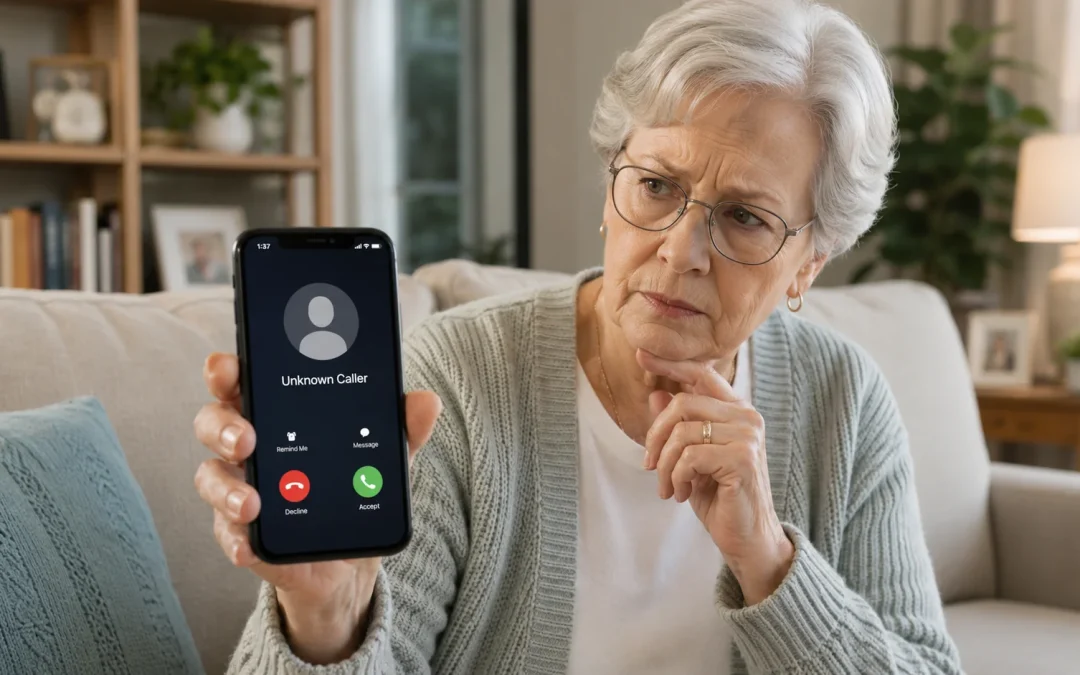
To tell if a Social Security call is a scam, hang up, look up the official Social Security phone number yourself, and call back using that number instead of any number that called you. Do not press any buttons, do not confirm personal details, and do not give your Social Security number, bank information, Medicare number, or security codes to anyone who called you first. This guide is for seniors and caregivers who get calls about Social Security, benefits, or “suspicious activity.” It will help you spot most fake calls, but if you are ever unsure, it is always okay to hang up and call Social Security directly.
Table of Contents
- Quick Summary
- Do Not Trust Caller ID by Itself
- Signs of a Social Security Scam Call
- When a Social Security Call Might Be Real
- What To Do While the Call Is Happening
- What To Do Right After You Hang Up
- How to Report a Social Security Scam Call
- How to Check a Suspicious Social Security Call on iPhone
- How to Check a Suspicious Social Security Call on Android
- How to Handle Suspicious Calls on a Landline Phone
- What Can Go Wrong
- Safety and Scam Awareness
- FAQ
- Final Summary
Quick Summary
- What the problem usually means: A scammer is pretending to be from Social Security to steal money or personal information.
- Most common cause: Robocalls or fake caller ID numbers that look official or local.
- How long it takes to check: A few minutes to hang up, block the number, and call Social Security using an official number.
- When help may be needed: If you already gave information, sent money, shared a code, or feel unsure what happened.

Do Not Trust Caller ID by Itself
One of the most important things to know is that caller ID can be faked. A scam call may show a local number, a government-looking number, or even a name like “Social Security” on your screen.
Scammers can also use the real name of a government agency or a real-sounding employee name to make the call feel official. This does not mean the call is real.
Because caller ID can be spoofed, never trust the name or number on the screen by itself. If a call feels suspicious, hang up and call Social Security using an official number you look up yourself.
Signs of a Social Security Scam Call
Most scam calls follow the same pattern: they try to scare you, rush you, and get you to share private information or pay money. Knowing the common warning signs makes it much easier to tell a fake call from a real one.
Real Social Security staff do not threaten you, do not demand immediate payment over the phone, and do not ask you to pay with gift cards, wire transfers, cryptocurrency, prepaid debit cards, or cash by mail. If a caller does any of these things, you can safely assume it is a scam and hang up.
Here are the main signs to watch for:
- The caller says your Social Security number is “suspended,” “blocked,” or “canceled.”
- They say there is “suspicious activity” or a “crime” linked to your number and you could be arrested.
- They warn of legal action, arrest, or police involvement if you do not act right away.
- They demand immediate payment to “protect” your benefits or avoid legal trouble.
- They ask you to confirm your full Social Security number, bank account, Medicare number, or security codes.
- They ask you to buy gift cards, prepaid cards, cryptocurrency, or wire money.
- They pressure you not to hang up or not to talk to anyone else.
- They promise to increase your Social Security benefits if you pay or give information.
- The call feels rushed, scary, or confusing.
This applies to both live callers and recorded messages. Scammers can also use very real-sounding computer voices. If you want more help recognizing fake recordings, see This Voicemail Is Fake – Even Though It Sounds Real.
Time estimate: 5 minutes to review these signs.
Difficulty: Easy.
A common mistake is thinking a call is real just because the caller ID shows “Social Security” or a government-looking number. Caller ID can be faked, so never trust it by itself.
When a Social Security Call Might Be Real
Social Security may call you in some situations, such as if you recently applied for benefits, already receive benefits and need to update your record, or asked Social Security to call you back.
Even if the call might be real, a real Social Security worker should not threaten you, demand immediate payment, ask for gift cards or cryptocurrency, or pressure you to keep the call secret.
If you are unsure, hang up and call Social Security using an official number you look up yourself. This protects you even if the original call was real, because you are choosing the safe way to continue the conversation.
What To Do While the Call Is Happening
When a call comes in that claims to be from Social Security, your goal is to stay calm, avoid sharing information, and safely end the call. You do not need to prove anything to the caller. You are allowed to hang up at any time.
Follow these steps while the call is happening:
- If it is a recording, do not press any buttons. Just hang up. Pressing buttons can lead to more scam calls.
- If it is a live person, do not confirm any personal details. Do not give your full name, address, Social Security number, Medicare number, bank information, or security codes.
- Say something simple like: “I do not give information on incoming calls. I will call Social Security directly.” Then hang up.
- Do not argue, explain, or answer questions. Just hang up. You do not owe them a reason.
- Write down the time of the call and what they said, in case you want to report it later.
If the caller becomes pushy, threatens you, or says you will be arrested if you hang up, that is a strong sign it is a scam. Real Social Security staff do not talk that way.
Time estimate: 1–2 minutes.
Difficulty: Easy.
A common mistake is staying on the line because you feel you must be polite. You do not. The limitation is that you cannot always know for sure during the call, which is why calling back using the official number is so important.
What To Do Right After You Hang Up
Once you have hung up, you can take a few simple steps to protect yourself and reduce future scam calls. This part is about checking safely, not about fixing anything on the caller’s terms.
Here is what to do next:
- Find the official Social Security phone number. You can look on a past letter from Social Security or visit the official Social Security website if you are comfortable online.
- Call that official number yourself. Explain that you received a call and want to check if there is any problem with your account.
- If they say everything is fine, you know the call was a scam. If there is a real issue, you are now speaking to the real office.
- On your phone, open your recent calls list and tap the suspicious number. Choose Block or Block this Caller if your phone offers that option.
- If you gave out any information, contact Social Security, your bank, or your credit card company right away and explain what happened.
If your phone looks different or you are not sure how to block a number, you can still ignore future calls from that number. You can also ask a trusted family member or friend to help you block it.
Time estimate: 10–20 minutes.
Difficulty: Easy to Moderate.
A common mistake is calling back the number that called you instead of the official number. Always look up the number yourself.
How to Report a Social Security Scam Call
If you believe the call was a scam, you can report it to the Social Security Office of the Inspector General at oig.ssa.gov/report. You can also report scam calls to the Federal Trade Commission at ReportFraud.ftc.gov.
You do not have to report every scam call, but reporting can help government agencies track scam patterns. If you gave out personal information, shared a security code, or sent money, report it and also contact your bank, credit card company, or Social Security as soon as possible.
If you are overwhelmed, ask a trusted family member, friend, or caregiver to sit with you while you report it. You do not have to handle it alone.
How to Check a Suspicious Social Security Call on iPhone
If you use an iPhone, you can review the call and block the number. This does not stop every scammer, but it can help reduce calls from that same number.
Follow these steps on your iPhone:
- Open the Phone app on your home screen.
- Tap Recents at the bottom to see your recent calls.
- Find the suspicious call. It may show as “Unknown,” “Scam Likely,” or a regular phone number.
- Tap the small i information button next to the number.
- Scroll down and tap Block this Caller, then tap Block Contact to confirm.
If your iPhone looks different, it may be because of a software update or an older model. The Phone app and Recents tab are usually in the same place, but the colors or icons may change.
Time estimate: 5–10 minutes.
Difficulty: Easy.
A common mistake is trusting the label if it says “Social Security Administration” on the screen. That name can be faked. The limitation is that blocking one number does not stop all scam calls, because scammers often change numbers. For more help with how scammers use phone tricks, see Why Scammers Use Your Area Code.
How to Check a Suspicious Social Security Call on Android
On Android phones, you can also review and block suspicious calls. Different brands, such as Samsung, Motorola, and Google, may look slightly different, but the basic steps are similar.
Here is how to do it on most Android phones:
- Open the Phone app.
- Tap Recents or Call history to see your recent calls.
- Find the suspicious number in the list.
- Press and hold on the number until a menu appears, or tap the small i or Details button next to it.
- Tap Block or Block/report spam. If asked, confirm that you want to block the number.
If your Android phone looks different, the Block option might be under More, Options, or three dots in the corner. If you cannot find it, you can still choose not to answer calls from that number again.
Time estimate: 5–10 minutes.
Difficulty: Easy to Moderate.
A common mistake is thinking that if the phone labels it as “Verified” or shows a city name, it must be safe. That is not always true. The limitation is that, like on iPhone, blocking one number does not stop all scams, because scammers rotate numbers.
How to Handle Suspicious Calls on a Landline Phone
If you use a landline phone, you may not have a screen or blocking options, but you can still protect yourself. The main tools you have are how you answer and what you say.
Here is a simple way to handle suspicious Social Security calls on a landline:
- Let unknown numbers go to voicemail when possible. You can listen later and decide.
- If you answer and hear a recording, hang up right away. Do not press any buttons.
- If a live person asks for personal information, say: “I do not give information on incoming calls. I will call Social Security directly,” then hang up.
- Write down the date, time, and what they said in a notebook near your phone.
- Call Social Security using the official number from a letter or from their website to check if there is any real issue.
If your landline has caller ID, remember that names and numbers on the screen can be faked. Do not trust the display alone. If your phone company offers a call-blocking service, you can call their customer service and ask if they can help block frequent scam numbers.
Time estimate: 5 minutes.
Difficulty: Easy.
A common mistake is calling back the number that left the scary message. Instead, always use the official number you look up yourself. The limitation is that landlines often have fewer blocking tools, so you may still receive scam calls, but you can safely ignore them.
What Can Go Wrong
Even when you follow all the steps, a few things can still feel confusing or frustrating. This is normal, and it does not mean you did anything wrong.
Here are some common issues and what to do:
- The buttons or screens look different: Phone makers change how things look over time. If you cannot find Block, it is okay. You can still hang up and ignore future calls from that number.
- The setting seems missing: Some older phones or landlines do not have built-in blocking. In that case, focus on not answering unknown numbers and letting them go to voicemail.
- An update changed the layout: After a phone update, menus may move. The Phone app and Recents list are usually still there, just in a slightly different place.
- Restarting the phone did not stop the calls: Restarting does not affect scammers. They are calling from outside your phone. Blocking and ignoring are more effective.
- Your device is older: Older phones may not support spam warnings or blocking. That is okay. Your main protection is what you say, or do not say, on the call.
If you ever feel unsure, you can ask a trusted family member, friend, or local senior center for help reviewing your recent calls. You can also learn more about how modern scams work in How to Spot AI Scams (Warning Signs and What to Do Next).
Safety and Scam Awareness
Most Social Security scams depend on fear and urgency. Knowing a few firm rules can keep you safe, even if the scammer sounds very convincing or uses a real-sounding voice.
Keep these safety rules in mind:
- You do not need to pay to “unlock” or “protect” your Social Security number or benefits.
- Real Social Security staff will not ask you to pay with gift cards, wire transfers, cryptocurrency, prepaid debit cards, or cash by mail.
- No one from Social Security needs remote access to your computer or smartphone to “fix” your account.
- Be very careful with any caller who tries to get you to confirm personal information on a recorded line. For more on this, see Why Scammers Want You to Say Yes on the Phone.
- Never share one-time codes, text verification codes, or security codes with someone who calls you. Those codes are for you only.
- Real government agencies do not threaten arrest or demand immediate payment over the phone.
- If someone tells you not to talk to your family, bank, police, or Social Security office, that is a major red flag.
If a call breaks any of these rules, you can safely assume it is a scam and hang up. You are not being rude; you are protecting yourself.
FAQ
Is this serious?
Yes, Social Security scam calls are common, but if you hang up, do not share information, and call Social Security directly, you can usually avoid harm.
Will I lose anything if I just hang up?
No, hanging up on a suspicious call will not affect your real Social Security benefits or account in any way.
Do I need to pay anything to fix this?
No, you never need to pay money over the phone to protect or unlock your Social Security number or benefits.
Is this a virus on my phone?
No, scam calls are usually not a virus. They are people using phone numbers to trick you, not software on your device.
How long does it take to make sure everything is okay?
It usually takes about 10–20 minutes to hang up, block the number if possible, and call Social Security directly to confirm your account is fine.
What if I already gave them some information?
If you shared personal or financial details, contact Social Security and your bank as soon as you can, explain what happened, and ask what steps they recommend next.
Can Social Security ever call me?
Yes, Social Security may call in some situations, such as if you recently applied for benefits, already receive benefits and need an update, or requested a call. Even then, they should not threaten you, demand immediate payment, or ask for gift cards or cryptocurrency.
Final Summary
Most Social Security scam calls can be handled by hanging up, not sharing any information, and calling Social Security back using an official number you look up yourself. The most common cause is scammers using fake caller ID and scary messages to rush you into acting. With a few simple habits—never paying over the phone, never sharing codes, and not trusting caller ID alone—you can stay in control. If you ever feel unsure, reach out to Social Security, your bank, or a trusted person for help reviewing what happened.
