


The short answer: far less than most internet companies advertise. Email and web browsing need about 1 Mbps, an HD video call about 1.2 Mbps, and HD Netflix about 5 Mbps. Add up what everyone in your home does at the same time, then leave some room to spare. For a one- or two-person household, a plan that meets the FCC’s broadband benchmark of 100 Mbps download and 20 Mbps upload is plenty (FCC). Paying for 500 Mbps or more usually won’t make email, browsing, or video calls feel any faster.
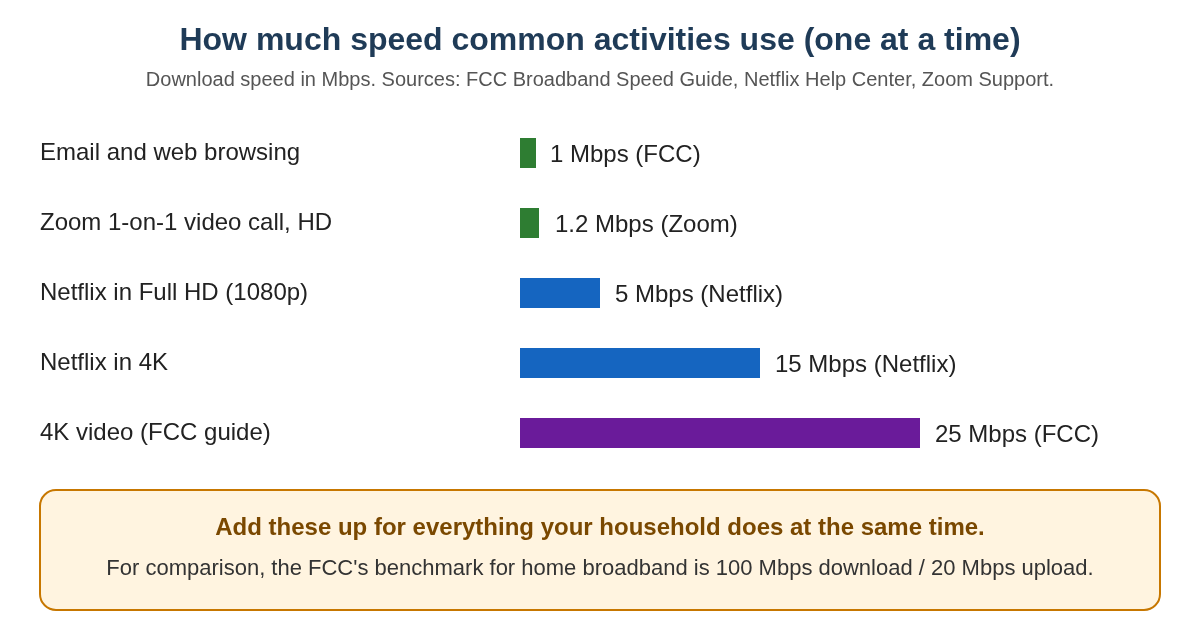
What common activities actually use
| Activity | Speed needed | Source |
|---|---|---|
| Email and web browsing | 1 Mbps | FCC |
| Zoom one-on-one video call in HD (720p) | 1.2 Mbps download and upload | Zoom |
| Zoom group video call in HD | 1.8 Mbps download, 2.6 Mbps upload | Zoom |
| Netflix in HD (720p) | 3 Mbps or more | Netflix |
| Netflix in Full HD (1080p) | 5 Mbps or more | Netflix |
| Netflix in 4K | 15 Mbps or more | Netflix |
The FCC says these are rough guidelines and that you should use your own judgment (FCC). The FCC has also found that basic web browsing gets faster as speeds rise to about 10 Mbps, but not beyond that (FCC consumer guide).
Add it up for your household
Speeds add together when several things happen at once. Here’s how to estimate:
- Write down what might be running at the same time on a busy evening. For example: one TV streaming in HD (5 Mbps), a tablet on a video call with family (about 2 Mbps), and a phone checking email (1 Mbps).
- Add the numbers. In this example that’s about 8 Mbps.
- Leave plenty of room. Your Wi-Fi may be slower than your plan in rooms far from the router. The speed test below shows you how to check.
The FCC’s own household guide puts even four people doing “high-demand” things at once in its top tier, which starts at more than 25 Mbps (FCC household guide). That’s why a 100 Mbps plan leaves lots of breathing room for most homes.
Don’t forget upload speed
Download speed is what you receive (TV, websites). Upload speed is what you send, such as your face and voice on a video call. Zoom recommends 2.6 Mbps of upload for an HD group call (Zoom). If family video calls freeze on your end but TV streams fine, compare your upload speed with the plan you’re paying for. The FCC benchmark includes 20 Mbps upload (FCC).
Test your speed for free (2 minutes)
- On a phone, tablet or computer connected to your home Wi-Fi, open your web browser and go to fast.com. Netflix recommends this test (Netflix).
- Wait for the number to settle. Tap More info to see your upload speed.
- Run the test again standing next to your router. If it’s much faster there, the problem is your Wi-Fi coverage, not your internet plan.
On a smart TV, the Netflix app has its own test: go to Get Help and then Check your Network (Netflix).
Use the FCC’s free speed test app
The FCC’s FCC Speed Test app is free for iPhone and Android. It measures your download speed, upload speed and delay (latency), and its QuickCheck mode runs a fast test (FCC). Search for “FCC Speed Test” in the App Store or Google Play.
How to read your results
- Compare with your bill. Your bill or online account shows the speed you pay for, such as “up to 100 Mbps.” Wi-Fi results are often lower than that, especially far from the router.
- Test a few times, for example in the morning and in the evening, in the room where you usually use the internet.
- If it’s slow everywhere, even right next to the router, restart your equipment (see below). If it’s still slow, call your provider and tell them the numbers you got.
- If it’s only slow in some rooms, the problem is Wi-Fi coverage, not your plan. Moving the router or adding a mesh system usually fixes it.
If things are slow, try this before upgrading
- Restart your equipment. Netflix’s advice is to unplug your modem (and your router, if it’s separate) for 30 seconds, plug the modem back in and wait until its lights stop blinking, then plug the router back in (Netflix).
- Move closer, or move the router. Walls, floors and cabinets weaken Wi-Fi. A router on a shelf in the middle of the home usually works better than one hidden in a closet.
- Call your provider if your tested speed is well below what you pay for. Tell them the fast.com result.
Paying less for internet
- Ask about cheaper plans. Many providers have lower-speed plans that are still well above what the activities above need.
- Lifeline: the federal Lifeline program gives eligible households up to $9.25 a month off phone or internet service. You may qualify through SNAP, Medicaid, SSI, Federal Public Housing Assistance or the Veterans Pension benefit, or based on income (FCC Lifeline).
