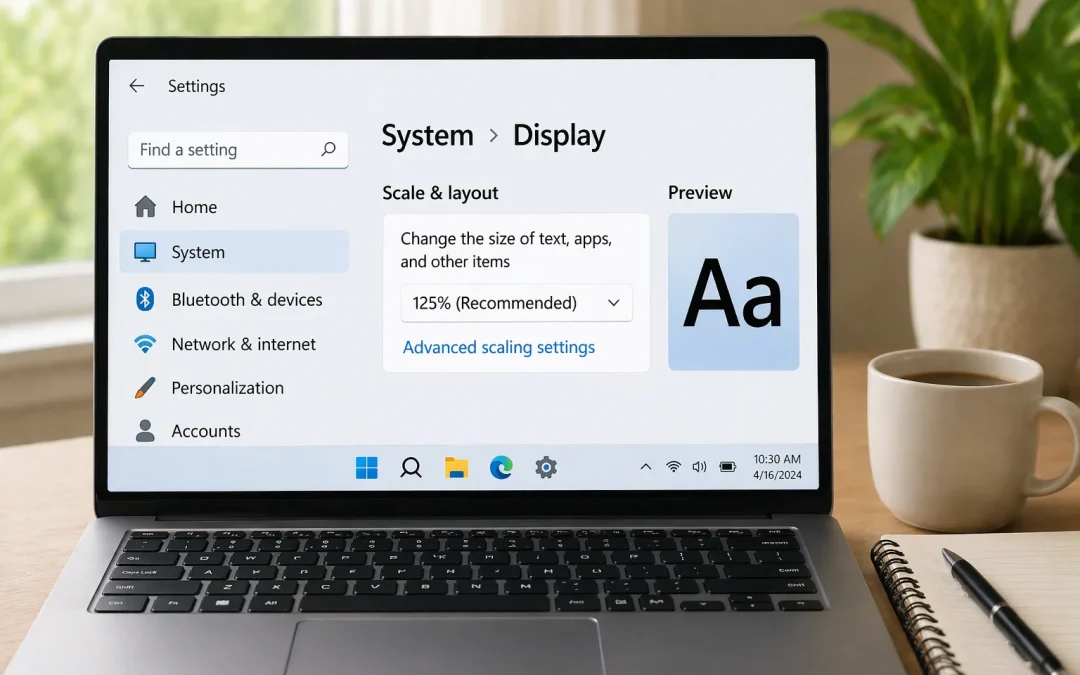
Yes, you can usually make text larger on your computer using built-in settings, without buying anything new. This guide is for people who find words on the screen too small or hard to read on Windows or Mac computers. It will show you simple ways to make text bigger...
By Jason Stanley, Senior Tech Help · Last updated: October 22, 2026 · Facts checked against the official sources linked in this guide. The short answer: turn on the backup that’s built into your device and let it run on its own. iPhone or iPad: Settings >...
Transferring photos to a USB drive can seem tricky, but its easier than you might think! This guide will walk you through the steps in a simple and friendly way. By the end, youll be able to save your precious memories safely on a USB drive. Lets get started! Table of...
Organizing files and photos can feel overwhelming, especially if you have a lot of them. But dont worry! With a little guidance, you can create a neat and tidy system. This article will walk you through simple steps to help you organize your digital world. Lets get...
By Jason Stanley, Senior Tech Help · Last updated: October 21, 2026 · Facts checked against the official sources linked in this guide. The short answer: press Windows key + Shift + S, drag over the part of the screen you want, and click the preview that appears to...
Welcome to the world of Zoom! This guide is designed for seniors and beginners who want to connect with family, friends, and colleagues through video calls. Zoom is a user-friendly tool that allows you to see and talk to others from the comfort of your home. Lets...