
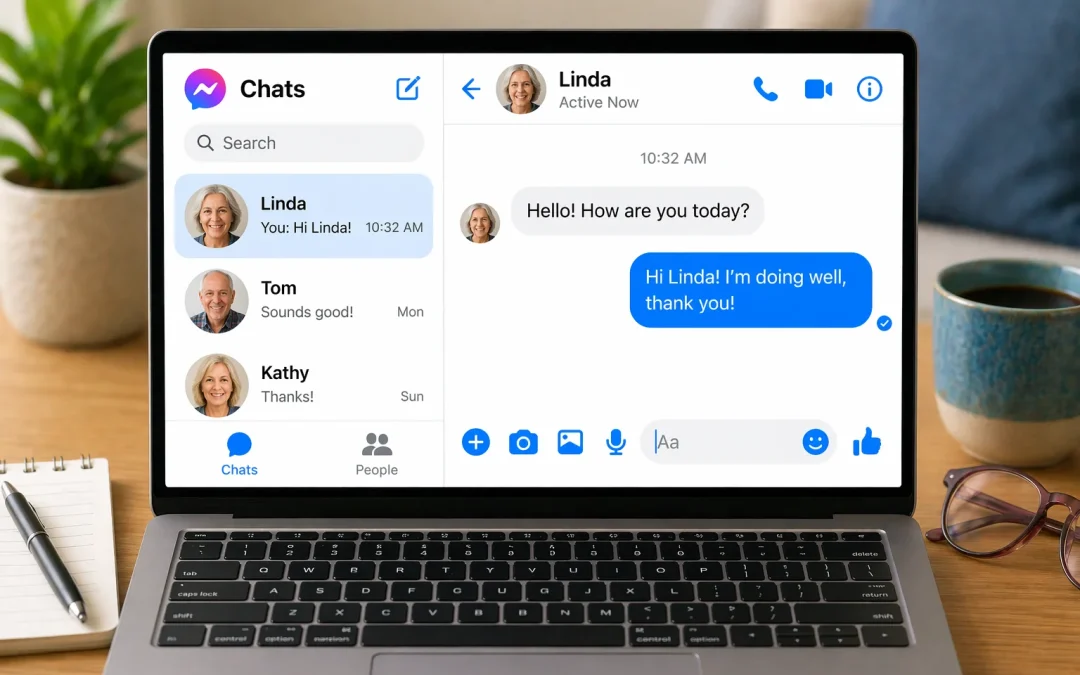

The short answer: on a phone or tablet, open the Messenger app, start a new chat, choose the person, type your message and tap send. On a computer, go to facebook.com/messages and log in to Facebook. The separate Messenger website and desktop apps were shut down in 2026 (TechCrunch).
What changed in 2026
- The Messenger desktop apps for Windows and Mac stopped working in December 2025. Meta recommends deleting them (heise online).
- messenger.com closed in April 2026. Visitors are sent to facebook.com/messages instead (TechCrunch, heise online).
- If you use Messenger without a Facebook account, you can now only use it in the phone or tablet app (TechCrunch).
- Your old chats are still there. To restore your chat history on a new device you’ll need the backup PIN you set up in Messenger. If you’ve forgotten it, you can reset it (TechCrunch).
If a family member set up a Messenger icon on your computer’s desktop, it may now show an error. Replace it with a bookmark to facebook.com/messages.
On an iPhone, iPad or Android phone
- Open the Messenger app. If you don’t have it, install “Messenger” from the App Store (iPhone or iPad) or Google Play (Android). Check that the developer listed is Meta Platforms.
- To reply to someone you’ve chatted with before, tap their name in your list of chats.
- To start a new conversation, tap the new-message button (it looks like a pencil). Then type the person’s name in the search box at the top and tap their name when it appears.
- Tap the message box at the bottom of the screen and type your message.
- Tap the send arrow (a paper-airplane shape) to the right of the message box.
The buttons can move slightly after app updates. If you can’t find one, keep the app up to date and look for the same symbols: a pencil to start a chat and an arrow to send.
On a computer
- Open your web browser (Chrome, Edge, Safari or Firefox).
- Type facebook.com/messages into the address bar at the top and press Enter.
- Log in with your Facebook email or phone number and password, if asked.
- Click a conversation on the left, or start a new message and type the person’s name.
- Type in the box at the bottom and press Enter to send.
Stay safe in Messenger
- If a friend or relative suddenly asks for money, gift cards or a “code” by message, stop. Call them on a number you already know before doing anything. Accounts do get hacked.
- Don’t open links in unexpected messages, even from people you know, if the message doesn’t sound like them.
- Never share the login codes Facebook texts or emails you. Nobody legitimate will ask for them.
Read more in our guide on avoiding scams on Facebook.
