
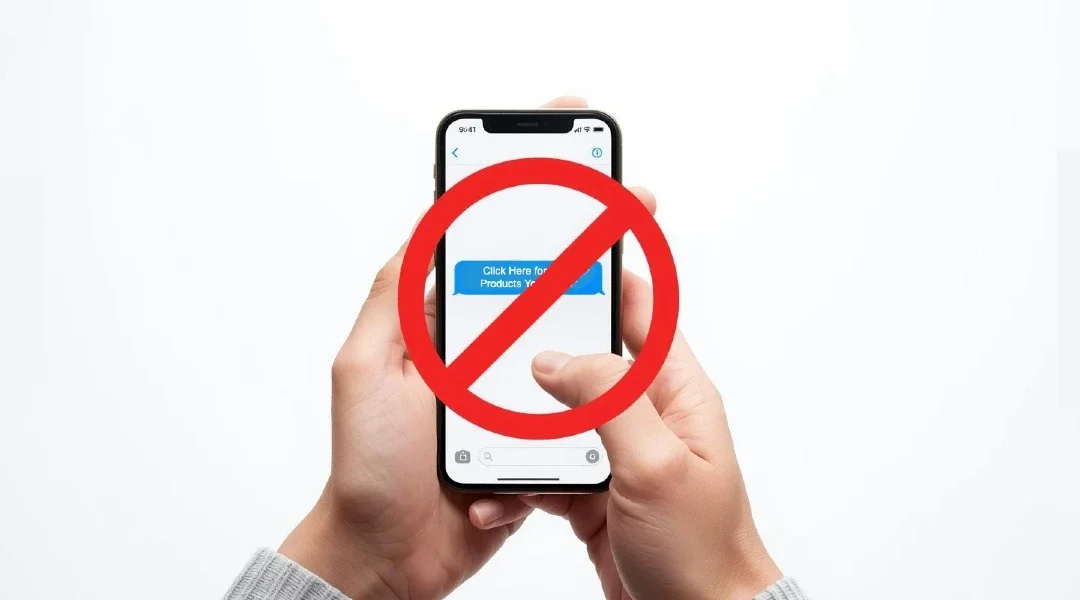

You get a text message that says your bank account has been locked, or that you’ve won a prize, or that a package is waiting for you. There’s a link asking you to click for more information. It looks legitimate. It might even come from a number that looks official. But here’s the truth: clicking that link could give scammers access to your bank account, personal information, and identity.
Table of Contents
- What Is Smishing and How Does It Work?
- Why Should You Never Click Links in Text Messages?
- What Happens When You Click a Malicious Link?
- How to Spot a Scam Text Message
- What Are the Most Common Types of Scam Text Messages?
- What Should You Do Instead of Clicking Links?
- What to Do If You Already Clicked a Suspicious Link
- How to Report and Block Scam Text Messages
- How to Protect Yourself from Text Message Scams
- When Are Text Message Links Actually Legitimate?
- Frequently Asked Questions
What Is Smishing and How Does It Work?
Smishing is a combination of “SMS” (text messaging) and “phishing” (fishing for your information). It’s when scammers send you fake text messages designed to trick you into giving them your personal information, money, or access to your devices.
Here’s how a typical smishing scam works:
- You receive a text message that appears to be from a trusted source like your bank, Amazon, the post office, or even a family member
- The message creates urgency or fear—your account is locked, you owe money, you have a package waiting, or there’s a problem that needs immediate attention
- The message includes a link and asks you to click it to resolve the issue, claim a prize, track a package, or verify your information
- When you click the link, one of several bad things can happen (we’ll cover these in detail below)
- The scammers steal your information, money, or gain control of your phone or accounts
According to the Federal Trade Commission, Americans lost over $330 million to text message scams in 2022, and these numbers are increasing every year. Scammers are getting smarter, and their fake messages look more convincing than ever.
**Prefer to watch? This 7-minute video walks you through the entire process:**
Why Should You Never Click Links in Text Messages?
You should never click links in unexpected text messages because it’s impossible to know where that link truly leads just by looking at it. Even if the text appears to come from your bank, a delivery company, or a government agency, scammers can make links look legitimate while directing you to dangerous websites.
Here are the main reasons to avoid clicking text message links:
Links Can Be Disguised
Scammers can make a link display one thing (like “amazon.com”) while actually sending you to a completely different website (like “amaz0n-security-check.com”). Your phone shows you the display text, not where the link really goes.
You Can’t Verify the Sender
Text message sender information can be faked. A message that appears to come from “Bank of America” or “USPS” might actually be from a scammer halfway around the world. Phone numbers can be “spoofed” to look official.
One Click Can Compromise Your Phone
Some malicious links can install software on your phone the moment you click them—without you entering any information at all. This software can steal your passwords, read your text messages, access your photos, or track your location.
Legitimate Companies Don’t Operate This Way
Real banks, government agencies, and reputable companies will never send you unsolicited text messages asking you to click a link to verify your account, update your information, or claim a prize. If they need you to take action, they’ll tell you to log in through their official app or website—not through a text message link.
There’s No Urgency That Can’t Wait
Scammers use urgency to pressure you into clicking without thinking. Real problems can wait a few minutes while you verify the situation through official channels. If your bank account really has a problem, it will still be there in ten minutes when you call your bank directly.
What Happens When You Click a Malicious Link?
When you click a link in a scam text message, several different harmful things can happen:
You’re Taken to a Fake Website
The link leads to a website that looks exactly like your bank’s login page, Amazon, the IRS, or another trusted site. When you enter your username and password, the scammers capture this information and use it to access your real accounts.
These fake websites are incredibly convincing. They copy logos, colors, layouts, and even security symbols from real websites. The only difference is the web address, which most people don’t notice carefully.
Malware Gets Installed on Your Phone
Some links automatically download malicious software (malware) to your phone. This software can:
- Record everything you type, including passwords and credit card numbers
- Access your text messages, including two-factor authentication codes
- Turn on your camera or microphone without your knowledge
- Track your location constantly
- Access your contacts and send scam messages to everyone you know
- Steal photos and personal files from your phone
You’re Subscribed to Expensive Services
Some links sign you up for recurring charges on your phone bill—sometimes $9.99 per month or more for services you never wanted and don’t use. These charges can continue for months before you notice them.
Your Phone Number Is Confirmed
Even if the link doesn’t steal information immediately, clicking it confirms to scammers that your phone number is active and belongs to someone who clicks links. Your number then gets added to lists that are sold to other scammers, resulting in even more scam texts.
You Give Away Personal Information
The fake website might ask you to “verify” your identity by entering your:
- Social Security number
- Date of birth
- Mother’s maiden name
- Bank account numbers
- Credit card information
- Home address
Scammers use this information for identity theft, opening credit cards in your name, filing fake tax returns, or draining your bank accounts.
How to Spot a Scam Text Message
Learning to recognize scam text messages is your first line of defense. Here are the telltale signs:
It Creates Urgency or Fear
Watch for messages that say:
- “Your account will be closed in 24 hours”
- “Urgent action required”
- “Suspicious activity detected”
- “Your package will be returned if you don’t respond”
- “Limited time offer expires today”
- “Your payment is overdue”
Legitimate companies give you reasonable time to respond and don’t threaten immediate consequences.
It Comes from an Unexpected Source
Ask yourself:
- Do I have an account with this company?
- Was I expecting a package?
- Did I sign up for anything recently?
- Have I ever given this company my phone number?
If the answer is no, it’s almost certainly a scam.
The Phone Number Looks Strange
Scam texts often come from:
- Short codes (5-6 digit numbers) claiming to be from banks or companies
- Email addresses instead of phone numbers
- International numbers you don’t recognize
- Numbers that change each time they contact you
The Message Has Poor Grammar or Spelling
Many scam texts contain:
- Spelling mistakes
- Grammar errors
- Awkward phrasing
- Random capitalization
- Generic greetings like “Dear Customer” instead of your name
Professional companies proofread their messages carefully.
The Link Looks Suspicious
Before clicking (or better yet, instead of clicking), examine the link carefully:
- Does it use a shortened URL (bit.ly, tinyurl, etc.)? Scammers use these to hide the real destination
- Does it have misspellings? (amaz0n.com instead of amazon.com, or paypa1.com instead of paypal.com)
- Does it have extra words or numbers? (amazon-security-verify.com or chase-bank-alert.net)
- Does it use an unusual domain extension? (.xyz, .top, .ru instead of .com or .gov)
It Offers Something Too Good to Be True
Common lures include:
- “You’ve won a $1,000 gift card!”
- “Congratulations! You’ve been selected for a special offer!”
- “Claim your free iPhone!”
- “Government stimulus payment available”
If you didn’t enter a contest, you didn’t win anything. These are always scams.
It Asks for Personal Information
Legitimate companies will never text you asking for:
- Your password
- Your full Social Security number
- Your PIN or security code
- Your credit card CVV code
- Your mother’s maiden name
What Are the Most Common Types of Scam Text Messages?
Knowing the most popular scam scenarios helps you recognize them immediately:
Fake Package Delivery Texts
Example: “USPS: Your package is waiting. Confirm your address to schedule delivery: [link]”
Why it works: Most people are expecting a package at any given time, or recently ordered something online.
The truth: Real delivery companies send tracking information through their official apps or to email addresses you provided when ordering. They don’t randomly text asking for confirmation.
Fake Bank or Credit Card Alerts
Example: “Chase Bank Alert: Suspicious activity detected on your account. Verify your identity immediately: [link]”
Why it works: People panic when they think their money is at risk.
The truth: Banks will call you or send alerts through their official app, not through text message links. They’ll never ask you to verify your identity by clicking a link.
Fake IRS or Government Texts
Example: “IRS: You have an unclaimed tax refund of $846. Click here to claim: [link]”
Why it works: Government agencies sound official, and people want their money.
The truth: The IRS never initiates contact through text message. They communicate through official mail sent to your home address.
Fake Account Verification Texts
Example: “Amazon: Your account has been locked due to unusual activity. Click here to unlock: [link]”
Why it works: People use Amazon frequently and worry about losing access.
The truth: Amazon will email you or show alerts when you try to log in to their actual website—they won’t text you random security links.
Fake Prize or Gift Card Scams
Example: “Congratulations! You’ve been selected to receive a $100 Walmart gift card. Claim it here: [link]”
Why it works: Everyone likes free money.
The truth: Legitimate companies don’t randomly give away gift cards to people who didn’t enter a contest.
Fake Family Emergency Texts
Example: “Mom, my phone broke and I’m using a friend’s. I need help urgently. Click this link to message me: [link]”
Why it works: Parents and grandparents immediately worry about their children.
The truth: Call your family member at their known number to verify. Don’t click links claiming to be from family.
Fake Job Offer or “You’re Hired” Texts
Example: “You’ve been selected for a remote position paying $45/hour. Complete your application: [link]”
Why it works: Everyone wants easy, high-paying work from home.
The truth: Legitimate employers don’t hire people through random text messages.
Fake Subscription Renewal Notices
Example: “Netflix: Your payment method failed. Update your billing information to avoid service interruption: [link]”
Why it works: People don’t want to lose access to services they pay for.
The truth: Streaming services and subscriptions send billing notices to your email address on file, not to random text messages.
What Should You Do Instead of Clicking Links?
When you receive a text message with a link, follow these safe steps instead of clicking:
Step 1: Don’t Click—Delete Immediately
If you don’t recognize the sender or weren’t expecting the message, delete it right away. Don’t reply, don’t click, don’t engage at all.
Step 2: Verify Through Official Channels
If the message claims to be from your bank, a company you do business with, or a delivery service:
- Open your phone’s web browser separately (don’t click the link in the text)
- Type the company’s official website address yourself (for example, type “www.chase.com” in your browser)
- Log in to your account through the official website or app
- Check for any alerts or messages in your account
If there’s really a problem with your account, you’ll see it when you log in through the official website.
Step 3: Call the Company Directly
Find the company’s official phone number by:
- Looking at the back of your credit or debit card
- Checking your latest bill or statement
- Searching online for “[company name] customer service phone number”
- Looking at the official website you navigated to yourself
Important: Don’t call any phone number provided in the suspicious text message. Use only official contact information you find yourself.
Step 4: Ask Someone You Trust
If you’re unsure whether a text is legitimate:
- Show it to a family member or friend who’s tech-savvy
- Call your bank or the company mentioned in the text (using official contact info)
- Ask at your local bank branch if it’s about financial accounts
It’s always better to ask and feel silly than to click and lose your money or identity.
Step 5: When in Doubt, Do Nothing
Remember: If something is truly urgent and legitimate, the company will find another way to contact you. They’ll call you, send official mail, or show alerts when you log in to their real website or app.
There’s no emergency so urgent that you can’t take 10 minutes to verify it properly.
What to Do If You Already Clicked a Suspicious Link
If you already clicked a link in a text message and you’re worried it might have been a scam, take these steps immediately:
If You Only Clicked But Didn’t Enter Information
- Don’t panic—just clicking a link usually isn’t enough to cause harm if you didn’t enter any information
- Close the webpage immediately
- Don’t download anything if a download starts
- Clear your browser history and cache (look in your phone’s settings under the browser app)
- Run a security scan if you have antivirus software on your phone
- Monitor your accounts closely for the next few weeks
If You Entered Personal Information or Passwords
- Change your passwords immediately for any accounts where you used that password—start with bank accounts, email, and credit cards
- Enable two-factor authentication on all important accounts (banking, email, social media)
- Contact your bank if you entered banking information—they can monitor for fraudulent charges and may need to issue new cards
- Check your credit card and bank statements daily for unauthorized charges
- Place a fraud alert on your credit reports by calling one of the three credit bureaus: Equifax (800-525-6285), Experian (888-397-3742), or TransUnion (800-680-7289)
- File an identity theft report at IdentityTheft.gov if you provided your Social Security number or detailed personal information
If You Think Malware Was Installed
- Turn on airplane mode to disconnect your phone from the internet
- Run a full antivirus scan if you have security software installed
- Uninstall any apps you don’t recognize, especially ones installed around the time you clicked the link
- Back up your important data (photos, contacts) to a computer or cloud service
- Consider a factory reset of your phone if the problem persists—this erases everything and starts fresh (make sure to back up first)
- Take your phone to a professional if you’re not comfortable doing these steps yourself
Monitor for These Warning Signs
After clicking a suspicious link, watch for signs your phone may be compromised:
- Battery drains much faster than usual
- Phone gets very hot even when not in use
- Data usage increases dramatically
- Apps crash frequently or behave strangely
- Pop-up ads appear when you’re not using a browser
- New apps appear that you didn’t install
- Your contacts report receiving strange messages from you
- Unauthorized charges appear on your phone bill
How to Report and Block Scam Text Messages
Reporting scam texts helps authorities track and stop scammers, and it may prevent others from becoming victims.
How to Report Scam Texts
Report to the FTC:
- Forward the scam text to 7726 (which spells “SPAM” on most keyboards)
- This free service is available on most major carriers (AT&T, Verizon, T-Mobile)
- You can also report at ReportFraud.ftc.gov
Report to the FCC:
- Visit consumercomplaints.fcc.gov/hc/en-us
- File a complaint about unwanted or illegal text messages
Report to Your Phone Carrier:
- AT&T: Forward to 7726 or visit att.com/spam
- Verizon: Forward to 7726 or use the Call Filter app
- T-Mobile: Forward to 7726 or use Scam Shield app
How to Protect Yourself from Text Message Scams
Beyond never clicking links, these additional strategies will help keep you safe:
Don’t Share Your Phone Number Unnecessarily
- Be cautious about where you provide your phone number online
- Don’t post your phone number on social media
- Use email instead of phone number for loyalty programs when possible
- Consider using a Google Voice number for non-essential signups
Register with the Do Not Call Registry
- Visit donotcall.gov or call 1-888-382-1222
- This won’t stop scammers, but it reduces legitimate marketing texts
- It also makes it clearer when you receive an illegal text
Enable Two-Factor Authentication
- Turn on two-factor authentication for all important accounts
- Use an authenticator app instead of text message codes when possible (Google Authenticator, Authy, or Microsoft Authenticator)
- This adds protection even if scammers get your password
Keep Your Phone Updated
- Install operating system updates when they’re available
- Update your apps regularly
- These updates often include security patches that protect against new threats
Use Security Software
- Consider installing reputable mobile security apps like Norton Mobile Security, McAfee Mobile Security, or Lookout
- These can warn you about malicious links and apps
Be Skeptical by Default
- Assume all unexpected texts are scams until proven otherwise
- Remember: legitimate companies don’t send urgent texts with links
- When in doubt, verify through official channels
Educate Your Family
- Share this information with family members, especially those who are less tech-savvy
- Discuss real scam texts you receive so everyone learns what to look for
- Create a family rule: “We never click links in text messages”
When Are Text Message Links Actually Legitimate?
While the safest policy is to never click links in text messages, there are rare situations where text message links might be legitimate:
Two-Factor Authentication Codes
When you’re actively logging into an account and requested a code, you might receive a text with a verification link. However:
- Only click if YOU just tried to log in
- If you receive an unexpected code, someone may be trying to access your account—don’t click and change your password immediately
- The safest option is to type the code manually rather than clicking the link
Appointment Reminders You Expected
Medical offices and service providers sometimes text appointment reminders with links to confirm. These are safer if:
- You have an actual appointment scheduled with that provider
- The text comes around the expected time for reminders (usually 24-48 hours before)
- You recognize the sender’s name or number from previous communications
Safer alternative: Call the office directly to confirm or reschedule instead of clicking the link.
Order Tracking from Purchases You Made
If you just ordered something online and immediately receive a tracking link from that retailer, it might be legitimate. However:
- The timing should match your purchase exactly
- The sender should be recognizable from your order confirmation email
- It’s still safer to log in to the retailer’s website or app to track your order
The Golden Rule
Even when a text message link might be legitimate, the safest approach is always:
- Don’t click the link in the text
- Open your web browser or app separately
- Navigate to the official website yourself
- Complete your task through the verified official channel
This extra 30 seconds could save you from disaster.
Frequently Asked Questions About Text Message Link Scams
Can I get a virus just by receiving a text message?
No, simply receiving a text message cannot infect your phone with a virus or malware. The danger comes from clicking links or downloading attachments in the message. As long as you don’t interact with the message, you’re safe. Just delete it.
What if the text message looks exactly like ones I’ve received before from my bank?
Scammers are very skilled at copying the exact format, logos, and style of legitimate messages from banks and other companies. They can even make the sender name appear as your bank’s name. Always verify by logging into your bank’s official app or website yourself, or call the phone number on the back of your debit card—never trust the text message alone.
Can scammers see if I opened their text message?
On most phones, scammers cannot tell if you simply opened and read a text message. However, if you click a link in the message, they’ll know immediately. Some advanced techniques might allow scammers to track message opens, but this is rare. The safest approach is to delete suspicious messages without opening them.
Why do scam texts often have spelling errors and grammar mistakes?
While some scam texts are poorly written by accident, scammers sometimes include errors intentionally. These mistakes help filter out skeptical, observant people, leaving only the most trusting or vulnerable targets who are more likely to fall for the entire scam. However, many modern scam texts are perfectly written and look completely professional.
Can clicking a link drain my bank account immediately?
Clicking the link itself won’t drain your bank account, but it can lead to it. If you click the link and then enter your banking credentials on a fake website, scammers can use that information to access your real account and transfer money out. This is why you should never enter your banking information through a link from a text message.
How do scammers get my phone number in the first place?
Scammers obtain phone numbers through data breaches, by purchasing lists from other criminals, by scraping public records and social media, through leaked information from apps and websites, or simply by using automated systems that text random number combinations. Once they have your number, it often gets shared and sold repeatedly.
Are shortened URLs (like bit.ly) always scams?
No, shortened URLs aren’t always scams—legitimate companies sometimes use them for marketing. However, scammers love shortened URLs because they hide the real destination website. If you receive an unexpected text with a shortened URL, treat it as suspicious. Legitimate companies you do business with should use their full domain names in important communications.
What’s the difference between phishing and smishing?
Phishing is when scammers try to steal your information through fake emails. Smishing is the same concept but through text messages (SMS). Both use deception to trick you into revealing personal information or clicking malicious links. The tactics are similar, but smishing often feels more urgent because texts seem more immediate than emails.
Can I get scammed by replying “STOP” to a scam text?
Replying “STOP” to a scam text won’t directly harm you, but it does confirm to scammers that your number is active and monitored by a real person. This can lead to more scam attempts. Instead of replying, just block the sender and delete the message. Only reply “STOP” to legitimate marketing texts from companies you actually do business with.
Do the “from” names in text messages prove who sent them?
No, sender names in text messages can be easily faked through a technique called “spoofing.” A scammer can make a message appear to come from “Bank of America,” “USPS,” or any other name they want. Never trust the sender name alone—always verify through official channels if the message asks you to take action.
Are there any safe ways to check where a link goes without clicking it?
On most smartphones, you can press and hold a link to see a preview of the web address it leads to. However, this still isn’t completely safe because the preview might not show the full URL, or sophisticated scammers can use redirect techniques. The safest approach is never to click at all—navigate to official websites independently instead.
What should I do if I keep getting scam texts from different numbers every day?
Unfortunately, once scammers have your number, it may be on multiple lists. You can: (1) Enable spam filtering on your phone, (2) Report each scam to 7726, (3) Block individual numbers, (4) Consider using your carrier’s spam-blocking service (often free), and (5) In extreme cases, consider changing your phone number. Never engage with the messages—just delete and report.
Can my phone company block these scam texts for me?
Yes, most major carriers offer spam-blocking services. AT&T has “Call Protect,” Verizon offers “Call Filter,” and T-Mobile provides “Scam Shield.” These services are often free and can automatically filter many scam texts. Contact your carrier or check their website to enable these features on your account.
Why don’t authorities shut down these scam operations?
Law enforcement does investigate and prosecute text message scammers, but it’s challenging because many operate internationally from countries that don’t cooperate with US authorities. Scammers also use sophisticated technology to hide their locations and constantly change their tactics. This is why personal vigilance is so important—you’re your own best defense.
Is it safer to click links on a computer than on a phone?
No, clicking malicious links is dangerous on any device—computer, phone, or tablet. While computers may have more robust antivirus software, both devices can be infected with malware, and both can lead you to fake websites that steal your information. The same rule applies regardless of device: never click links in unexpected messages.
What if the text mentions a real purchase I made or package I’m expecting?
This is a coincidence that scammers count on. Millions of people are waiting for packages at any given time, so scammers send mass texts knowing some will match real situations. Even if the timing seems perfect, follow the safe verification process: don’t click the link, and instead check your order status by logging into the retailer’s official website or app directly.
Can text message scams steal my identity?
Yes, text message scams are a common method of identity theft. If you click a malicious link and provide personal information like your Social Security number, date of birth, address, and mother’s maiden name, scammers can use this information to open credit cards in your name, file fake tax returns, take out loans, or access your existing accounts. This is why protecting yourself from these scams is so critical.
Are texts from my own phone number always scams?
Yes, if you receive a text that appears to come from your own phone number, it’s always a scam. Scammers use spoofing technology to make it look like you’re texting yourself. This is a trick to make the message seem unusual enough that you’ll be curious and click the link. Delete these messages immediately.
How can I tell if a text is using a spoofed number?
Unfortunately, there’s no reliable way to tell from the message itself whether a number is spoofed. The sender information can be completely faked to look like anyone—your bank, a government agency, or even someone in your contacts. This is exactly why you should never trust text messages asking you to click links or provide information, regardless of who they claim to be from.
What happens to scammers if they get caught?
Scammers who are caught and prosecuted can face serious federal charges including wire fraud, identity theft, and conspiracy, which can result in significant prison sentences and fines. However, because many scammers operate from other countries and use complex technology to hide their identities, the prosecution rate is unfortunately low. This makes prevention through awareness even more important.
The Bottom Line: When in Doubt, Don’t Click
Text message scams are one of the fastest-growing threats to your personal information, money, and identity. Scammers are getting more sophisticated every day, and their fake messages look increasingly convincing. But you have a simple, powerful defense: never click links in unexpected text messages.
Remember these key points:
- Legitimate companies don’t send urgent texts with links asking for personal information
- Real emergencies can wait while you verify through official channels
- When you receive a suspicious text, delete it—don’t click, don’t reply, don’t engage
- Always navigate to official websites yourself rather than clicking links
- If something seems urgent, call the company using a phone number you find yourself
- Share this information with family and friends to keep them safe too
By following this simple rule—never click links in text messages—you eliminate the vast majority of text message scam risks. Yes, it requires a few extra minutes to verify things properly, but those minutes could save you thousands of dollars and countless hours of stress from identity theft or fraud.
Take action today:
- Enable spam filtering on your phone
- Report scam texts to 7726 when you receive them
- Have a conversation with family members about text message safety
- Make it a personal rule: “I never click links in text messages”
Stay safe out there, and remember: when you receive a text with a link, the safest click is the one you don’t make.
