Senior Tech Help
  • ABOUT
  • GUIDES
  • LEARN
    • Computers
    • Email & Messaging
    • Everyday Digital Skills
    • Internet & WiFi
    • Online Safety
    • Smartphones
Select Page
How to Avoid Fake Tech Support Scams (2026 Guide for Seniors)

How to Avoid Fake Tech Support Scams (2026 Guide for Seniors)

by Jason Stanley | Dec 4, 2025 | Online Safety, Videos

By Jason Stanley, Senior Tech Help · Last updated: October 21, 2026 · Facts checked against the official sources linked in this guide. The short answer: real tech companies don’t call, email or text you out of the blue to say your computer has a problem, and...
How to Reduce Mobile Data Usage (Step-by-Step for Beginners)

How to Reduce Mobile Data Usage (Step-by-Step for Beginners)

by Jason Stanley | Dec 3, 2025 | Smartphones

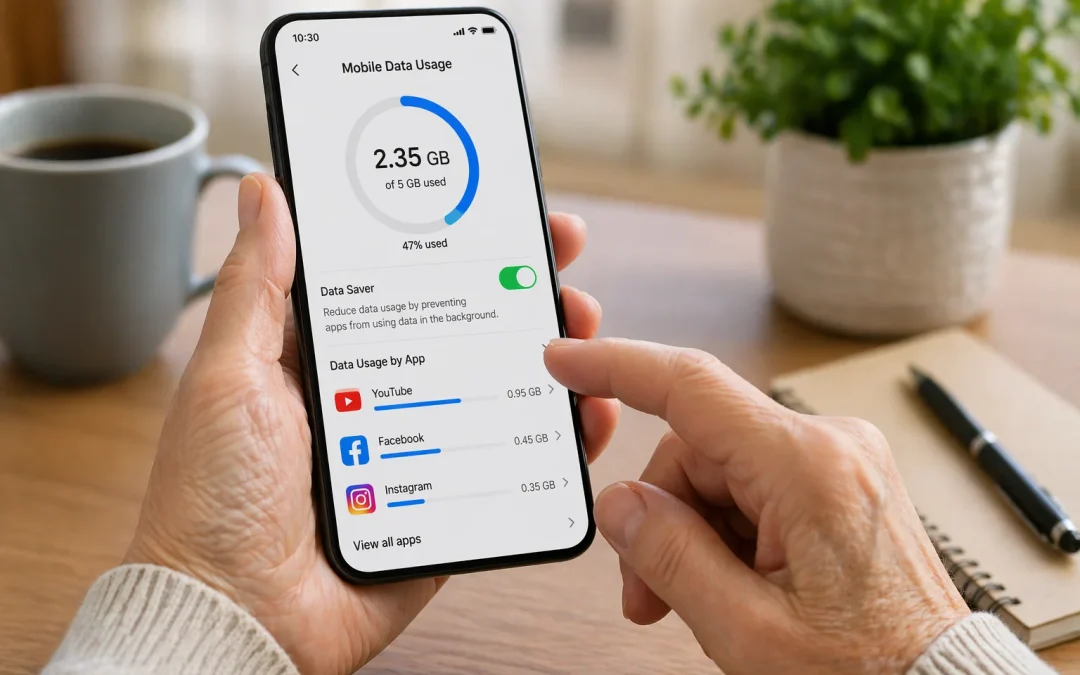
To reduce mobile data usage, first connect your phone to **Wi‑Fi** whenever possible, then turn off **Background App Refresh** (iPhone) or **Background data** (Android) for apps you do not use often. Open your phone’s **Settings**, tap **Cellular** or **Mobile data**,...
How to Order Groceries Online: A Step-by-Step Guide for Seniors and Caregivers

How to Order Groceries Online: A Step-by-Step Guide for Seniors and Caregivers

by Jason Stanley | Dec 2, 2025 | Everyday Digital Help, Videos

By Jason Stanley, Senior Tech Help · Last updated: October 20, 2026 · Facts and prices checked against the official sources linked in this guide. The short answer: open your usual grocery store’s app or website (or a delivery service such as Instacart), create...
How to Fix Slow Internet at Home (Step by Step)

How to Fix Slow Internet at Home (Step by Step)

by Jason Stanley | Dec 1, 2025 | Internet & WIFI

By Jason Stanley, Senior Tech Help · Last updated: October 22, 2026 · Facts checked against the official sources linked in this guide. The short answer: run a speed test and compare it with your plan, then restart the modem and router (FCC, Microsoft). If it’s...
How to Create a Safe Password You Won’t Forget (2026 Guide for Seniors)

How to Create a Safe Password You Won’t Forget (2026 Guide for Seniors)

by Jason Stanley | Nov 30, 2025 | Online Safety, Videos

By Jason Stanley, Senior Tech Help · Last updated: October 21, 2026 · Facts checked against the official sources linked in this guide. The short answer: make every password long (CISA says at least 16 characters), random and unique, meaning a different one for every...

« Older Entries
Next Entries »

About Me

Jason

Jason has 25+ years in the tech business and writes plain-English guides for seniors and caregivers.

Start Here (Beginners)

  • How to Use FaceTime Step by Step
  • How to Send an Email
  • How to Connect to Wi-Fi
  • How to Use Text Messaging
  • How to Download Apps Safely

Browse by Topic

  • Smartphone Help
  • Internet & Wi-Fi Help
  • Email & Messaging
  • Computer Help
  • Online Safety
  • Everyday Digital Help

Fix a Problem

  • Wi-Fi Connected But No Internet
  • How to Fix Slow Internet
  • Phone Storage Full
  • Slow Computer Fix
  • Recover Email Password

Stay Safe Online

  • How to Spot Online Scams
  • Avoid Facebook Scams
  • Create a Safe Password
  • Two-Factor Authentication Explained
  • What to Do If Email Gets Hacked

Popular Guides

  • Block Scam Calls on iPhone
  • Block Scam Calls on Android
  • How to Use Zoom
  • How to Use WhatsApp
  • Make Text Bigger on iPhone

Senior Tech Help
Simple, step-by-step technology guides designed for seniors and beginners.

  • About
  • Contact Us
  • Cookie Policy
  • Disclaimer
  • Privacy Policy
  • Terms & Conditions
  • Sitemap
Copyright 2026 SeniorTechHelp.org