
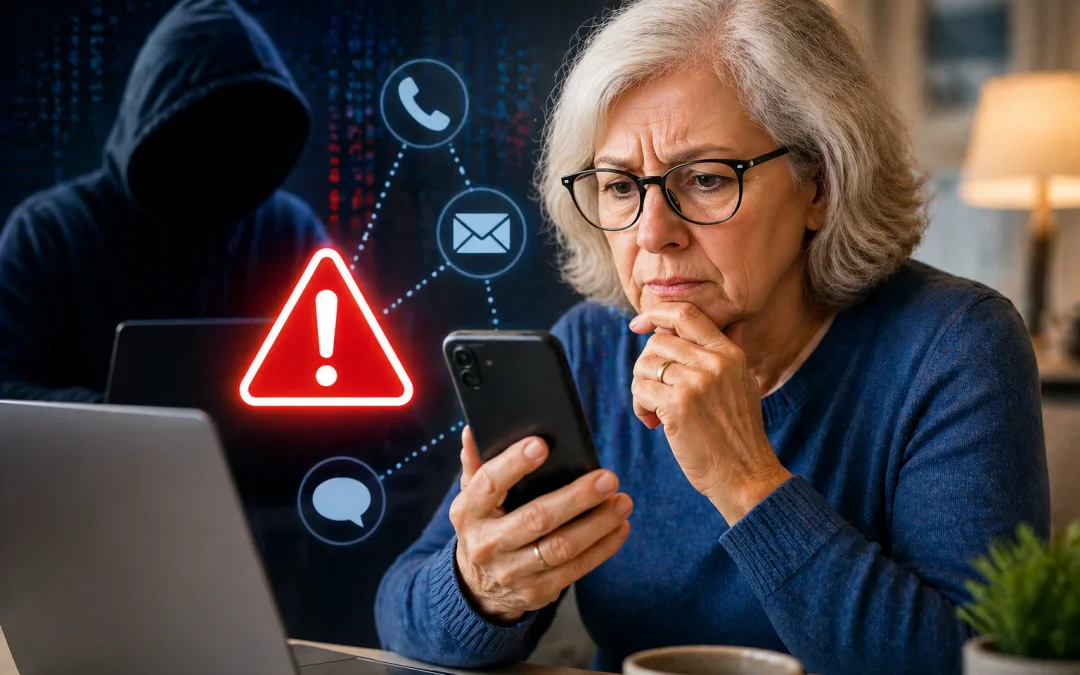

Yes, you can learn to spot most online scams targeting seniors, even if you don’t feel “tech savvy.” This guide is for older adults and beginners who use email, text messages, or the internet and want to stay safe without feeling afraid of every click. You will learn clear signs of scams and simple habits that make you much harder to trick. No guide can catch every single scam, but these steps will protect you from the most common and dangerous ones.

Table of Contents

Quick Summary

  • Most online scams use fear, urgency, or fake “help” to trick you into sending money or information.
  • You do not need to be a computer expert to avoid scams; you just need a few clear habits.
  • Never give passwords, codes, or full Social Security numbers to anyone who contacts you first.
  • If something feels rushed, secret, or scary, stop and check with someone you trust before acting.

What Is an Online Scam?

An online scam is any trick that uses the internet, email, text messages, or apps to get your money, personal information, or control of your accounts. The technology changes, but the goal is always the same: to make you act quickly before you have time to think. Scammers pretend to be banks, government agencies, family members, charities, or companies you recognize.

Many seniors think a scam will always be full of spelling mistakes or look obviously fake. Some are, but many modern scams look very professional. The email may use the real company logo, and the website may look almost identical to the real one. The main difference is what they ask you to do and how they make you feel: rushed, scared, or guilty.

Imagine this scenario: Margaret, age 74, receives an email that looks like it’s from her bank. It says, “Your account has been locked due to suspicious activity. Click here within 30 minutes to avoid permanent closure.” She feels panicked and clicks the link, then types her username and password into a fake website. Within hours, money is moved out of her account. The email looked real, but the urgency and the link were the danger signs.

An honest limitation is that no one can promise you will recognize every scam. Some are extremely convincing, and scammers constantly change their tricks. However, by learning the common patterns and slowing down before you respond, you can avoid most of them. A practical recommendation is to treat any unexpected message about money, prizes, or problems as suspicious until you confirm it using a phone number or website you already trust, not one provided in the message.

Common Types of Online Scams Targeting Seniors

Scammers often reuse the same types of tricks because they work. Knowing the main types helps you recognize them faster. While the details may change, the basic stories stay the same: “You owe money,” “You won money,” “Your account is in trouble,” or “A loved one needs urgent help.”

One common misunderstanding is thinking, “I’m careful, so this won’t happen to me.” Scammers are skilled at catching people on a bad day, when you are tired, worried, or distracted. Even smart, experienced people can be fooled. The goal is not to be perfect, but to build habits that make it harder for scammers to succeed.

Here are some of the most common scams aimed at seniors, with simple examples and limits to watch for:

1. Tech support scams
You see a pop-up on your computer saying, “Your computer is infected. Call Microsoft immediately.” Or someone calls claiming to be from a well-known company and says they must “fix” your computer. They may ask you to install software so they can “remote in” (control your computer from their location) or ask for payment in gift cards.

Scenario: John, 79, sees a loud pop-up with a warning sound. It says his computer will be disabled unless he calls a number. He calls, and the scammer asks him to buy $400 in gift cards to “renew his security.” In reality, no real company works this way. A limitation: sometimes real antivirus programs do show warnings, so it can be confusing. When in doubt, close the browser if you can, or ask a trusted person before calling any number on the screen.

2. “Grandparent” and family emergency scams
Someone contacts you saying they are your grandchild, or a friend of your grandchild, and they are in trouble: arrested, in an accident, or stuck overseas. They beg you not to tell anyone else and to send money immediately.

Scenario: Ellen, 82, gets a call from someone who sounds like her grandson. He says, “Grandma, it’s me, I’m in jail, please don’t tell Mom and Dad.” He asks her to wire money. She feels panicked and wants to help. Consumer protection agencies widely report that this is a very common scam. A practical step is to hang up and call your grandchild or another family member using the number you already have, not the one given in the call. For more on new versions of this scam using fake voices, see How to Protect Yourself from AI Voice Cloning Scams.

3. Prize, lottery, and sweepstakes scams
You are told you won a prize, lottery, or contest you don’t remember entering. To receive it, you must pay a “fee,” “tax,” or “processing charge” first. Real prizes do not require you to pay money to get your winnings.

4. Government and bank impostor scams
Scammers pretend to be from Social Security, Medicare, the IRS, or your bank. They may say your benefits will stop, your account will be frozen, or you owe back taxes. They pressure you to act immediately and may ask for your Social Security number, bank information, or a one-time code sent to your phone.

Scenario: Robert, 76, gets a text saying, “Bank of America: Suspicious login detected. Click here to secure your account.” He clicks and enters his login on a fake site. A safer habit is to never click links in texts about your bank. Instead, go directly to your bank’s website or call the number on the back of your card. For more details, see If a Bank Call Starts This Way It’s A Scam.

5. Romance and friendship scams
These often start on dating sites or social media. The scammer builds a relationship over weeks or months, then asks for money for an emergency, travel, or investment. A limitation here is emotional: it can be very hard to accept that someone you’ve been talking to is not real. If anyone you only know online asks for money, that is a major red flag.

The practical recommendation for all these types is simple: if money, gift cards, or personal information are requested, especially with urgency or secrecy, stop. Talk to a trusted family member, friend, or local bank branch before sending anything.

How Scammers Contact You (Email, Text, Phone, Social Media)

Scammers reach seniors through many channels: email, text messages, phone calls, pop-up windows, and social media sites like Facebook. The method may change, but the goal is the same: get you to click, call, or respond without thinking it through. Understanding how each method works helps you stay calm and in control.

A common misunderstanding is thinking, “If it came to my phone or email, someone must have checked it first.” In reality, email providers and phone companies try to block scams, but many still get through. That is why your own habits are so important. A limitation is that filters are not perfect, so you will still see some suspicious messages even if your device is up to date.

Email
Scam emails often pretend to be from companies you know: your bank, online stores, delivery services, or streaming services. They may say your account is locked, your payment failed, or a package is waiting. The email usually includes a link to “fix” the problem.

Scenario: Linda, 71, receives an email that looks like it’s from an online store she uses. It says, “Your order of $1,299 has shipped. If this was not you, click here to cancel.” She is alarmed and clicks the link. Instead of logging in through the real website, she enters her details on a fake page. A safer approach is to ignore the link and go directly to the store’s website by typing the address yourself or using a saved bookmark.

Text messages (SMS)
Text scams are short and urgent: “Your package is delayed, click here,” “Your bank account is locked,” or “You missed jury duty, pay this fine.” Many seniors assume texts are safer than email, but scammers use both. A strong safety habit is to never tap links in unexpected texts. For more guidance, see Never Click Links in Text Messages and How to Block Unwanted Text Messages on iPhone and Android.

Phone calls
Phone scams may not seem “online,” but they often start with information stolen from the internet. Scammers may already know your name, address, or last four digits of your card. They use this to sound convincing. They may ask you to read out a code sent to your phone; that code is often part of a security system called “two-factor authentication,” which is meant to protect you, not them.

Social media and messaging apps
On sites like Facebook, scammers may send friend requests, messages about investments, or fake charity appeals. They may also hack a friend’s account and message you pretending to be that friend. A limitation here is that it can be hard to tell when an account has been taken over. If a “friend” suddenly asks for money or a favor that seems unusual, call them on the phone to confirm.

A practical recommendation for all contact methods: if someone reaches out to you first and asks for money, personal details, or security codes, treat it as suspicious. You are always allowed to hang up, delete, or ignore a message and then contact the company or person using information you already trust.

Red Flags to Watch For in Any Message

While scams come in many forms, they share common warning signs. Learning these “red flags” helps you spot trouble even when the scam is new or unfamiliar. Think of them as smoke alarms: if you notice one or more, slow down and double-check before doing anything.

One misunderstanding is believing that only poorly written messages are scams. Many modern scams are well-written and use correct spelling. The bigger clues are how the message makes you feel and what it asks you to do. A limitation is that some real companies also use urgent language, which can be confusing, so you may need to confirm directly with the company.

Here are key red flags:

1. Urgent pressure and fear
Messages that say “act now,” “immediate action required,” or “your account will be closed today” are trying to stop you from thinking clearly. Scammers often use one powerful sentence to make you panic, such as “If you don’t do this right now, you will lose your money.” For more on this tactic, see The ONE Sentence Scammers Use to Make Seniors Panic.

2. Requests for secrecy
If someone says, “Don’t tell anyone,” “Keep this between us,” or “If you tell the bank, they will block your refund,” that is a major red flag. Real banks, government agencies, and companies do not ask you to keep secrets from your family or from them.

3. Unusual payment methods
Scammers often ask for payment by gift cards, wire transfer, cryptocurrency (like Bitcoin), or cash sent by mail. They may tell you to buy gift cards from a store and read the numbers over the phone. Real organizations do not accept payment this way for fines, taxes, or bills.

4. Requests for personal information or codes
Be very cautious if someone asks for your full Social Security number, bank account number, PIN, password, or a one-time code sent to your phone or email. Those codes are meant to protect your account. If you give them to someone who calls you, you may be giving them the keys to your account.

5. Links and attachments you did not expect
Unexpected links or attachments in emails or texts can lead to fake websites or install harmful software. Even if the message appears to be from a friend or company, do not click if you were not expecting it. Instead, go directly to the website yourself or call the person to confirm.

Scenario: Sam, 80, receives an email saying his online video service could not process his payment and he must “update his card now.” The email includes a link. He notices the urgent tone and that it asks for his full card number. Instead of clicking, he opens his browser, types the service’s address himself, and logs in. There is no problem with his account, so he deletes the email. This simple habit protects him.

A practical recommendation is to keep a short personal rule: “If it’s urgent, secret, or about money, I will not respond right away. I will pause, check with someone I trust, or contact the company using a known phone number or website.”

Safe vs Unsafe Online Behavior

Staying safe online is less about knowing every scam and more about building a few steady habits. Consumer protection agencies widely report that scammers succeed when people act quickly and alone. When you slow down and involve others, your risk drops sharply. This section compares safe and unsafe behaviors so you can see where you are already doing well and where you might adjust.

A common misunderstanding is thinking you must avoid the internet entirely to be safe. That is not realistic and can cut you off from useful services and connections. The goal is not to be afraid of technology, but to use it with clear boundaries. A limitation is that even safe habits cannot protect you from every data breach or company mistake, but they greatly reduce the chance of direct scams.

Safe behaviors include:

• Going directly to websites by typing the address or using bookmarks, instead of clicking links in emails or texts.
• Using strong, unique passwords and, when possible, turning on “two-factor authentication” (a second step like a code texted to your phone). For help, see How to Create a Safe Password You Won’t Forget and What Is Two-Factor Authentication?.
• Checking with a trusted person or your bank before sending money or sharing sensitive information.
• Ignoring or deleting messages that feel wrong, instead of replying to argue or ask questions.

Unsafe behaviors include:

• Clicking on links in unexpected emails or texts about money, deliveries, or account problems.
• Giving personal information or security codes to anyone who contacts you first, even if they know some details about you.
• Paying with gift cards, wire transfers, or cryptocurrency when asked by phone, email, or text.
• Rushing to act because a message says something terrible will happen if you don’t.

Scenario: Diane, 73, receives a text saying her package is delayed and she must click a link to reschedule. She remembers her rule about not clicking links in texts. Instead, she opens her browser and goes to the delivery company’s official website, where she sees no problem. She deletes the text. This is safe behavior.

Where seniors are most vulnerable is often at the intersection of urgency and isolation: late at night, when worried about money or health, and when no one else is around to ask. A practical recommendation is to create a personal “cooling-off” rule: you will wait at least 30 minutes and, if possible, talk to someone before sending money or sharing information in response to any unexpected message.

Practical Action Plan: What to Do When You’re Not Sure

Feeling unsure is normal. The goal is not to instantly know if something is a scam, but to have a simple plan for what to do when you are uncertain. This plan should feel manageable and repeatable, not overwhelming.

One misunderstanding is thinking you must respond to every message or call. You do not. Ignoring or delaying is often the safest choice. A limitation is that sometimes real messages are time-sensitive, such as appointment reminders, but those rarely ask for money or personal details through links.

Step 1: Pause and breathe
If a message makes you feel scared, rushed, or guilty, stop. Put the phone down or step away from the computer for a moment. Remind yourself: “If this is real, it will still be real in 30 minutes.” Scammers rely on your panic; you take back control by slowing down.

Step 2: Do not click, call, or reply yet
Do not click any links, open attachments, or call phone numbers listed in the message. Do not reply with personal information. Simply leave the message as it is. This prevents you from being pulled deeper into the scam.

Step 3: Check using a trusted source
If the message claims to be from your bank, credit card, delivery service, or government agency, contact them using a phone number on your card, a recent statement, or their official website (typed in yourself). Ask, “Did you send me this?” If they say no, you know it is a scam.

Step 4: Talk to someone you trust
Show the message to a family member, friend, or caregiver. Many seniors find it helpful to have a “tech buddy” they can call or text when something looks suspicious. If you feel embarrassed, remember that scammers target everyone, and asking for help is a sign of wisdom, not weakness.

Step 5: Delete, block, and report
Once you are sure it is a scam, delete the message. You can also block the sender’s number or email address. On many devices, you can tap “Report junk” or “Report spam.” This helps your phone or email provider filter similar messages in the future.

Step 6: If you already responded, act quickly but calmly
If you clicked a link, gave information, or sent money, do not panic, but do act. Contact your bank or credit card company immediately and explain what happened. Ask them to watch for unusual activity, change your account numbers if needed, and help you secure your account. You may also want to consider a credit freeze to protect against identity theft; see How to Freeze Your Credit for a step-by-step guide.

This plan will not remove all risk, but it gives you a clear path to follow. Over time, it will become a habit, and you will feel more confident handling suspicious messages.

What Can Go Wrong (and Why It’s Not Your Fault)

Even with good habits, things can still go wrong. Devices change, apps update, and instructions you followed last year may look different today. It is important to understand these challenges so you do not blame yourself or give up on staying safe.

Many seniors worry, “I’ll break something,” or “I’ll make it worse if I touch anything.” In most cases, simply opening an email or receiving a text does not cause harm; the danger comes from clicking links, opening attachments, or sending information. A limitation is that some harmful software can install itself if you open certain attachments, which is why caution is important.

Confusion about settings
Security settings, privacy options, and app permissions can be confusing. You may see pop-ups asking for access to your microphone, camera, or contacts and not know what to choose. If you are unsure, it is usually safer to say “Don’t Allow” unless you understand why the app needs it. You can always change settings later. For example, if you worry an app is listening when it should not, you can review which apps use your microphone; see How to Check Which Apps Are Using Your Microphone.

Device differences
Instructions from friends or online guides may not match your phone, tablet, or computer exactly. Buttons may be in different places or have different names. This does not mean you are doing it wrong; it just means devices vary. If you get stuck, it is okay to stop and ask for help rather than guessing.

Updates and changes
Apps and websites update their designs regularly. A button you used to click may move or change color. This can be frustrating and make you doubt yourself. Remember that even younger people get confused by updates. Take your time, read the screen carefully, and do not feel pressured to act quickly.

Conflicting advice
You may hear different instructions from family members, friends, and articles. One person says, “Never click anything,” while another says, “Just ignore the warnings.” This can be overwhelming. When in doubt, choose the safer option: do less, not more. It is better to miss a fake “urgent” message than to rush into a scam.

Scenario: Frank, 78, receives a pop-up saying his computer is infected and he must call a number. His grandson once told him to ignore pop-ups, but a neighbor said to always call the number. Frank feels torn. He decides to close the pop-up, shut down the computer, and call his grandson instead. Together they confirm it was a scam. This shows that pausing and asking for help is a strong safety step.

The practical recommendation here is simple: if you feel confused, stop. You are not required to solve every problem alone. Reach out to someone you trust or a local tech support service that you know is legitimate, such as a computer store you have used before or a senior center program.

Safety Checklist: What Legitimate Companies Will and Won’t Do

Knowing what real banks, government agencies, and companies normally do makes it easier to spot fakes. While there are always exceptions, there are some clear patterns you can rely on. This section gives you a calm reference you can return to whenever you are unsure.

A common misunderstanding is thinking, “They already have my information, so it must be safe to share more.” Scammers often start with bits of real information to gain your trust. A limitation is that some real companies do send alerts by email or text, which can look similar to scams. That is why you should confirm using a trusted phone number or website.

Legitimate companies usually WILL:

• Address you by name in many messages, especially if you are a customer.
• Allow you to hang up and call back using the number on your card or their official website.
• Provide customer service numbers you can find on your own, not only in a message.
• Give you time to think and do not punish you for wanting to verify a message.

Legitimate companies usually WILL NOT:

• Ask you to pay bills, fines, or fees with gift cards, wire transfers, cryptocurrency, or cash in the mail.
• Ask you to share your full password, PIN, or one-time security codes with someone who calls or messages you.
• Demand secrecy or tell you not to talk to your bank, family, or the police.
• Threaten arrest, deportation, or immediate loss of benefits if you do not act within minutes.

Scenario: Maria, 75, gets a call from someone claiming to be from her bank’s “fraud department.” They say there is a problem and ask her to read a code texted to her phone. She remembers that real banks tell you never to share codes with anyone who calls you. She hangs up and calls the number on the back of her card instead. The bank confirms it was a scam attempt.

If something feels suspicious, your steps are: stop, do not give information, and contact the company directly using a trusted source. You are never being rude by hanging up or refusing to answer questions. A practical recommendation is to keep a small card near your phone with the official numbers for your bank, credit card, and key services so you can quickly verify any message.

FAQ: Common Senior Questions About Online Scams

Is it safe to open emails from people I don’t know?
It is generally safe to open an email, but do not click links or open attachments from people you do not know or messages you did not expect. If the email asks for money, personal information, or quick action, delete it or ask someone you trust to look at it with you.

Will I break my computer or phone if I press the wrong button?
Most of the time, pressing the wrong button will not break your device. The bigger risk is giving information or money to the wrong person. If you are unsure what a button does, it is okay to stop and ask for help before continuing.

Do I need to pay for special software to protect myself from scams?
You do not need expensive software to avoid most scams. Basic security built into your device, plus careful habits like not clicking unknown links and not sharing personal information, provide strong protection. If you choose to buy security software, use a well-known brand and never from a pop-up ad.

What should I do if I don’t understand a step in a safety guide?
If a step is confusing, pause and do not guess. Write down what you see on the screen and ask a family member, friend, or trusted tech helper to walk through it with you. It is better to move slowly and understand than to rush and feel lost.

Can a family member or friend help me check if something is a scam?
Yes, and this is one of the best protections you can have. Choose one or two people you trust and agree that you will show them any message that asks for money or personal information before you respond. Scammers want you alone and rushed; involving others makes you much safer.

If I already fell for a scam once, does that mean I’ll keep falling for them?
No. Many people, of all ages, fall for a scam at least once. What matters is what you do next: report it, talk about it, and learn the warning signs. Using what you learned will make you stronger and more prepared in the future.

Should I stop using the internet because of scams?
You do not need to stop using the internet. Instead, use it with clear safety habits, like going directly to websites, being careful with links, and asking for help when unsure. The internet can be very useful and enjoyable when you stay in control of how you respond to messages.

Final Summary

You have learned what online scams are, how scammers commonly target seniors, and the warning signs that show up again and again. You now know the difference between safer and riskier online habits, and you have a simple action plan for what to do when a message makes you feel rushed or unsure. No guide can protect you from every possible scam, and technology will keep changing, but the basic patterns of fear, urgency, and secrecy stay the same.

By slowing down, checking with trusted sources, and refusing to share personal information or money with anyone who contacts you first, you greatly reduce your risk. If you ever feel confused or overwhelmed, pause and ask for help from family, friends, or a trusted local resource. You do not have to handle this alone, and every step you take to learn and prepare makes you safer and more confident online.

📤 Share this guide:

Facebook | Email | Text | Copy Link

🛡️ Online Safety & Scam Protection Hub

This article is part of our complete Online Safety & Scam Protection guide for seniors covering phone scams, phishing emails, identity theft, privacy, and fraud prevention.
