
All Guides


How to Recover a Lost Email Password
Have you ever forgotten your email password? It can be frustrating, especially when you need to access important messages. Dont worry! Recovering a...

Easiest Phones for Seniors with Bad Eyesight
Choosing the right phone can be a challenge, especially for seniors with bad eyesight. Fortunately, there are many smartphones designed with clear...

How to Use Instagram for Beginners (Sharing Photos Safely)
By Jason Stanley, Senior Tech Help · Last updated: October 21, 2026 · Facts checked against the official sources linked in this guide. The short...
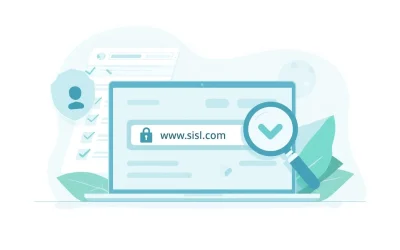
How to Know If a Website Is Safe (Simple Safety Checklist)
If you’ve ever clicked a link and wondered, “Is this website safe?” — you’re not alone. Fake websites are one of the most common ways scammers steal...
How to Download Apps Safely
In today's world, apps can make our lives easier and more enjoyable. From games to health trackers, there's an app for almost everything. However,...
How to Delete Emails Quickly (Inbox Zero Guide)
Welcome to your guide on how to delete emails quickly! If your inbox feels overwhelming, youre not alone. Many seniors and beginners find managing...
How to Backup Your Phone Easily
Backing up your phone is an important step to keep your memories and important information safe. Whether you have a smartphone or a simple mobile...
Best Tablets for Seniors With Bad Eyesight (2026 Picks)
By Jason Stanley, Senior Tech Help · Last updated: October 22, 2026 · Facts checked against the official sources linked in this guide. The short...

How to Stay Safe When Shopping Online
Shopping online can be a great way to find the things you need without leaving your home. However, its important to know how to stay safe while...

How to Speed Up a Slow Computer
Is your computer running slower than a turtle? Youre not alone! Many seniors experience this frustrating issue. Thankfully, there are simple steps...
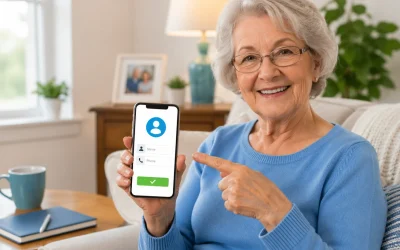
How to Add Contacts on iPhone and Android (Simple Tutorial)
By Jason Stanley, Senior Tech Help · Last updated: October 22, 2026 · Facts checked against the official sources linked in this guide. The short...

Best Budget Internet Plans for Seniors (2026): Low-Cost Programs and Ways to Save
By Jason Stanley, Senior Tech Help · Last updated: October 21, 2026 · Facts checked against the official sources linked in this guide. The short...

Best Budget Apps for Seniors: Simple Options Compared
For most seniors who want a simple way to see where their money is going, a basic budgeting app like Mint Mobile or EveryDollar is usually the...

How to Do a Telehealth Appointment (Step-by-Step for Seniors)
Most seniors can use telehealth appointments for many routine medical visits using a smartphone, tablet, or computer with a camera and internet...

How to Use Gmail for Beginners (Step-by-Step Guide)
By Jason Stanley, Senior Tech Help · Last updated: October 22, 2026 · Facts checked against the official sources linked in this guide. The short...
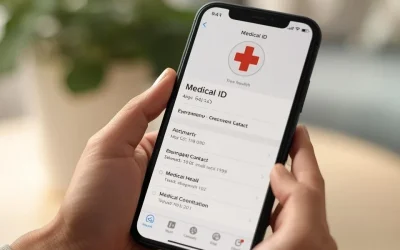
How to Set Up Medical ID on iPhone (Step-by-Step for Emergencies)
Yes, you can set up a Medical ID on your iPhone, and it only takes a few minutes. This allows you to add important health information so emergency...
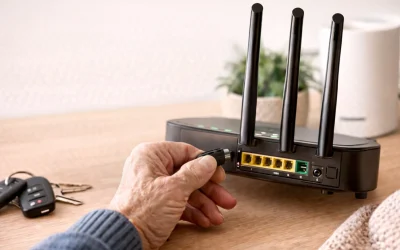
How to Restart a Router (Beginners Guide)
Yes, restarting your router usually fixes many common internet problems for most home users, including seniors. This guide is for people whose...
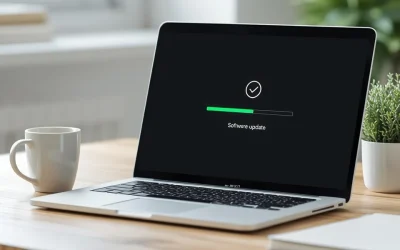
How to Install Updates Safely on Windows and Mac (2026 Guide)
By Jason Stanley, Senior Tech Help · Last updated: October 21, 2026 · Facts checked against the official sources linked in this guide. The short...
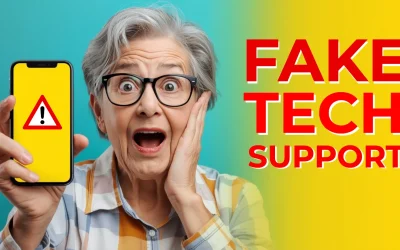
How to Avoid Fake Tech Support Scams (2026 Guide for Seniors)
By Jason Stanley, Senior Tech Help · Last updated: October 21, 2026 · Facts checked against the official sources linked in this guide. The short...
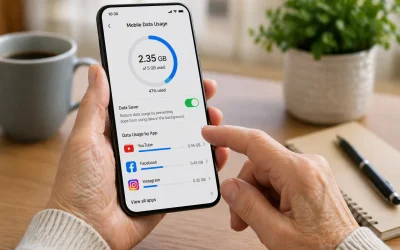
How to Reduce Mobile Data Usage (Step-by-Step for Beginners)
To reduce mobile data usage, first connect your phone to **Wi‑Fi** whenever possible, then turn off **Background App Refresh** (iPhone) or...

How to Order Groceries Online: A Step-by-Step Guide for Seniors and Caregivers
By Jason Stanley, Senior Tech Help · Last updated: October 20, 2026 · Facts and prices checked against the official sources linked in this guide....

How to Fix Slow Internet at Home (Step by Step)
By Jason Stanley, Senior Tech Help · Last updated: October 22, 2026 · Facts checked against the official sources linked in this guide. The short...

How to Create a Safe Password You Won’t Forget (2026 Guide for Seniors)
By Jason Stanley, Senior Tech Help · Last updated: October 21, 2026 · Facts checked against the official sources linked in this guide. The short...

How to Attach Photos to an Email (Step-by-Step for Seniors)
By Jason Stanley, Senior Tech Help · Last updated: October 21, 2026 · Facts checked against the official sources linked in this guide. The short...

About the Author
Jason is a technology consultant and web developer with more than 25 years of experience building secure web-based platforms and digital systems for businesses of all sizes.
His background includes website development, WordPress integration, database systems (PHP & MySQL), online security tools, Google Ads and Analytics implementation, API integrations, SMS and email automation systems, and emerging technologies such as AI tools and blockchain platforms.
After decades of working behind the scenes in digital systems, Jason recognized how overwhelming everyday technology can feel, especially for seniors and beginners. Senior Tech Help was created to provide clear, calm, step-by-step guidance that focuses on safety, simplicity, and practical solutions.
His mission is to help people use modern technology with confidence, without fear or confusion.